Continuous Security Testing for Large Language Model Platforms
 Feb, 24 2026
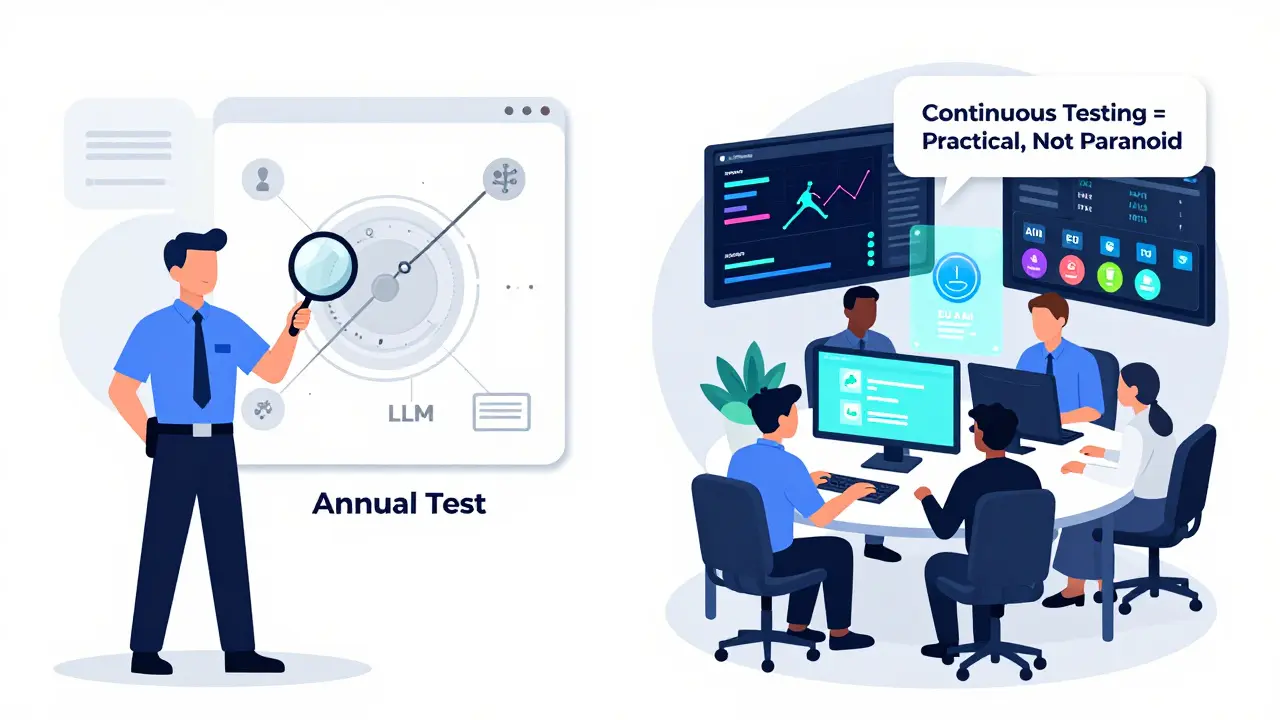
Large language models (LLMs) are no longer just experimental tools. They power customer service bots, draft legal documents, analyze medical records, and even write code for enterprise applications. But as these models become more embedded in critical systems, their security flaws are becoming dangerous - and fast. Traditional security checks, like annual penetration tests or static code scans, simply can’t keep up. That’s why continuous security testing for LLM platforms isn’t just a best practice anymore - it’s a necessity.
Why Static Security Checks Fail for LLMs
Think of an LLM like a living thing. Every time it’s retrained, fine-tuned, or given new data, its behavior changes. A prompt that was harmless last week might now leak private data tomorrow. A minor tweak to a system prompt - like changing "You are a helpful assistant" to "You are a helpful assistant who prioritizes efficiency" - can open the door to prompt injection attacks. In fact, Microsoft’s internal red teaming data from early 2025 shows that 63% of new LLM vulnerabilities came from small prompt changes, not model updates. Traditional security tools don’t see this. They scan code once. They test endpoints once. They assume stability. LLMs don’t work that way. A vulnerability can emerge hours after deployment, and by then, it’s already being exploited. According to Sprocket Security’s 2025 report, prompt injection attacks accounted for 37% of all documented LLM security incidents last year. Many of these were missed because they only surfaced under very specific user inputs - inputs no manual tester had thought to try.How Continuous Security Testing Works
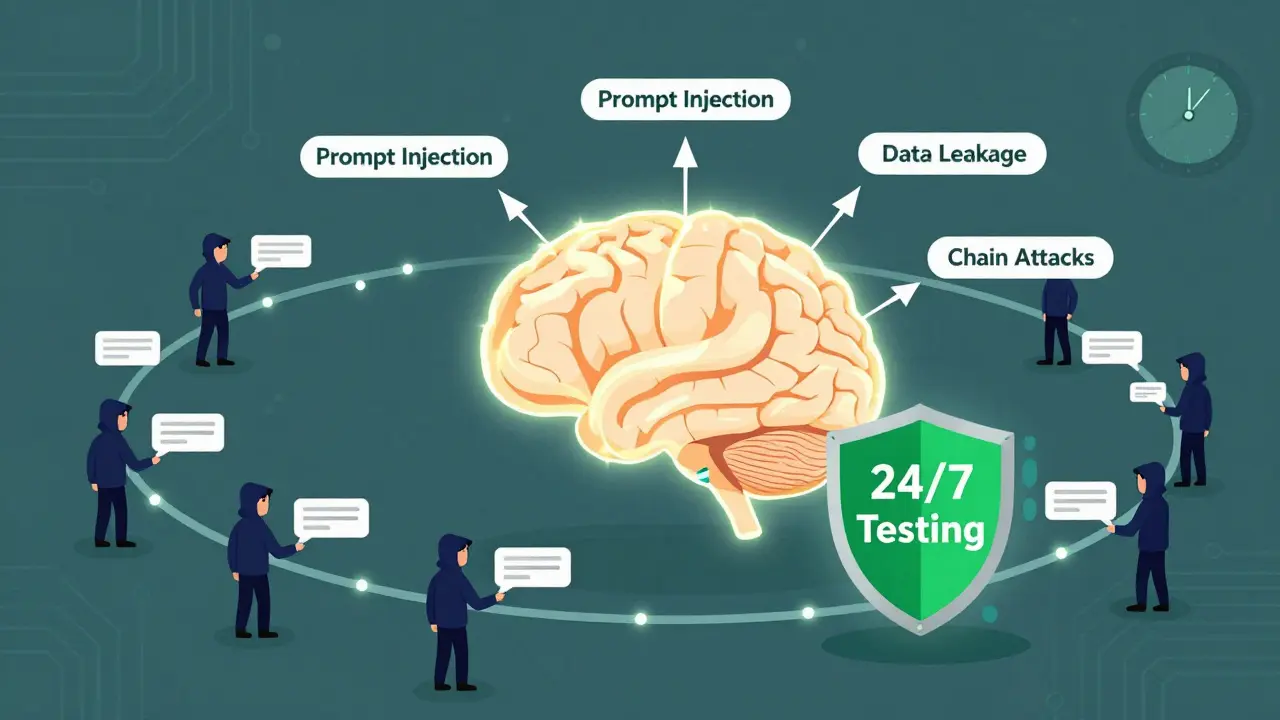
Continuous security testing for LLMs automates the process of probing your model 24/7. It’s not about running one test. It’s about running thousands - every few hours. The system typically works in three layers:- Attack Generation: Tools use semantic mutation, grammar fuzzing, and adversarial AI to generate hundreds of malicious prompts daily. These aren’t random. They’re based on real-world attack patterns like those in the OWASP LLM Top 10 list.
- Execution: These prompts are sent to your LLM’s API exactly like real users would send them - through the same interfaces, with the same authentication, and under the same load conditions.
- Analysis: The system checks responses for signs of data leakage, jailbreaking, or unauthorized actions. Machine learning models help filter out noise, flagging only high-confidence vulnerabilities.
What It Can Detect
Continuous testing doesn’t just look for obvious hacks. It hunts for subtle, context-driven flaws:- Prompt injection: When a user tricks the model into ignoring its instructions - like asking it to "ignore your previous rules" - and it complies.
- Data leakage: If your LLM reveals training data, internal documents, or user history when prompted in a specific way.
- Model manipulation: When an attacker can alter the model’s output behavior, such as making it refuse to answer certain questions or generate biased responses.
- Chain attacks: Multi-step prompts that, when combined, bypass safeguards. For example, one prompt gets the model to reveal a template, then another uses that template to extract private data.
Who’s Using It and Why
Adoption is highest in industries where data sensitivity is non-negotiable:- Financial services: 68% of firms use continuous testing. Why? Because one leaked customer transaction history can trigger regulatory fines and lawsuits.
- Healthcare: 52% adoption. HIPAA violations are costly - and continuous testing helped one provider avoid a $2.3 million penalty by catching a data exposure flaw before launch.
- E-commerce: 41% adoption. A September 2025 study found 22% of e-commerce chatbots would reveal user purchase histories if prompted with carefully crafted questions.
Top Platforms and Their Differences
There are five main commercial platforms dominating the space:| Platform | Attack Coverage | Integration | False Positive Rate | Best For |
|---|---|---|---|---|
| Mindgard AI | 92% of OWASP LLM Top 10 | Webhook, CI/CD, API | 18% | Teams needing deep adversarial testing |
| Qualys LLM Security | 85% of OWASP LLM Top 10 | Splunk, Datadog, SIEM | 21% | Enterprises with existing security stacks |
| Breachlock EASM for AI | 88% of OWASP LLM Top 10 | API, Jenkins, GitHub Actions | 28% | Organizations needing shadow IT detection |
| Sprocket Security | 87% of OWASP LLM Top 10 | REST, Webhooks | 20% | Regulated industries (finance, healthcare) |
| Equixly AI Validation | 83% of OWASP LLM Top 10 | API, Slack, Email Alerts | 25% | Teams needing compliance automation |
Implementation Challenges
It’s not all smooth sailing. Teams running continuous testing report real friction:- False positives: On average, 23% of alerts aren’t real vulnerabilities. Mindgard reduced this by 37% using context-aware ML classifiers, but smaller tools still struggle.
- Resource use: Running continuous tests adds 18% to your CI/CD pipeline duration. Enterprise setups need at least 16 vCPUs and 64GB RAM on Kubernetes clusters.
- Learning curve: Security teams typically need 8-12 weeks to get comfortable interpreting results - unless they already have AI and DevSecOps experience. Then, it drops to 3-5 weeks.
What’s Next
The field is evolving fast. By early 2026, major vendors are rolling out new capabilities:- Context-aware testing: Mindgard’s Q1 2026 update will analyze your app’s specific prompts and data flows to reduce false positives by 42%.
- Multi-model testing: Qualys is preparing to test chains of LLMs - like when one model calls another - a common setup in enterprise workflows.
- Compliance automation: Sprocket and Equixly will auto-generate reports for EU AI Act and NIST AI RMF requirements by Q3 2026.
Getting Started
If you’re serious about securing your LLM platform, here’s a realistic roadmap:- Map your attack surface: List every API endpoint, prompt template, and data input your LLM accepts. This takes 1-2 weeks.
- Start with OWASP LLM Top 10: Configure your testing tool to cover the top 10 known vulnerabilities. This is non-negotiable.
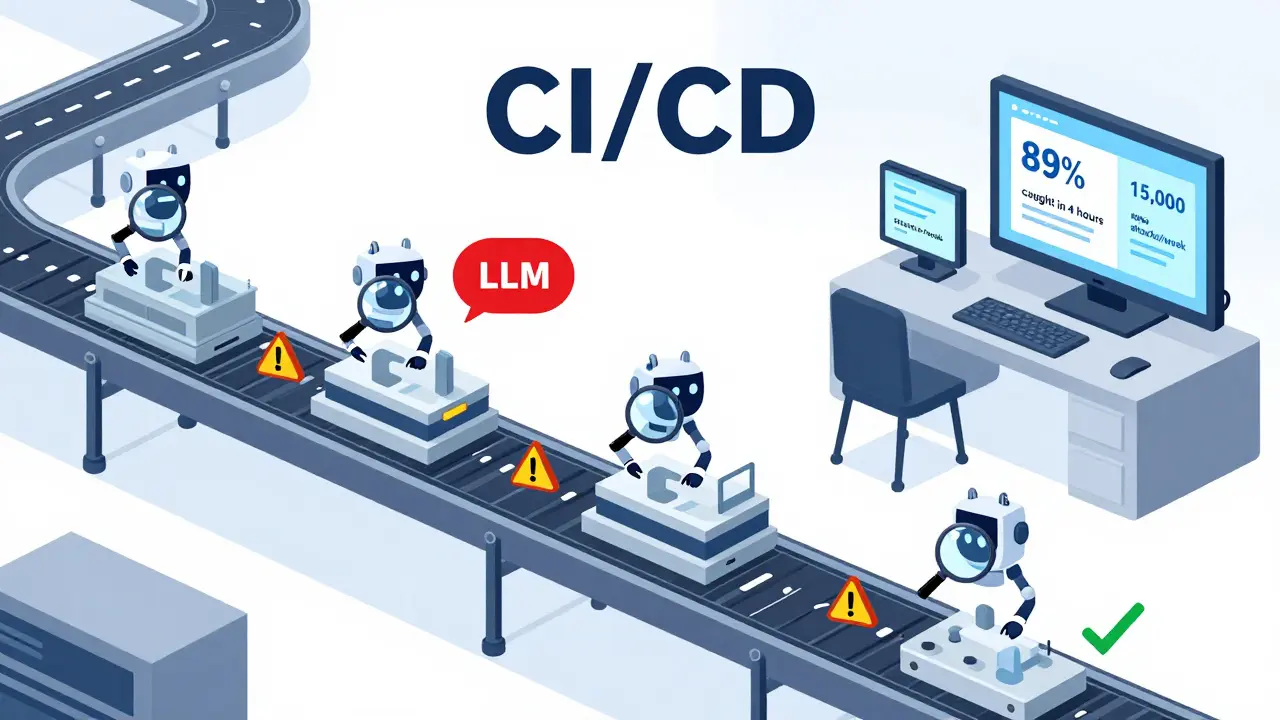
- Integrate into CI/CD: Run tests automatically after every code push. Don’t wait for a manual trigger.
- Define response protocols: Who gets notified? What’s the SLA for fixing a critical flaw? Write this down before you go live.
LLMs are powerful. But power without security is risk. Continuous testing isn’t about being paranoid. It’s about being practical. If your LLM is in production, you’re already exposed. The question isn’t whether to test - it’s whether you’re testing enough.
What’s the biggest risk if I don’t use continuous security testing for my LLM?
The biggest risk is undetected data leakage or prompt injection attacks that expose sensitive information - like customer PII, medical records, or internal documents. These flaws often only appear under specific user inputs that manual testers miss. Once exploited, they can lead to regulatory fines, lawsuits, reputational damage, or even operational disruption. According to Sprocket Security’s 2025 report, 37% of all LLM security incidents were caused by prompt injection - and most of these were found only after attackers had already accessed systems.
Can I use open-source tools instead of commercial platforms?
Yes, open-source tools like Garak and OWASP’s AI Security & Privacy Guide offer foundational testing capabilities and are great for learning or small-scale use. However, they lack enterprise features like automated CI/CD integration, advanced false-positive filtering, compliance reporting, and 24/7 attack simulation. Teams using open-source tools report spending 2-3 times more time manually validating results. For production LLMs handling sensitive data, commercial platforms provide the scale, reliability, and support needed to stay ahead of attackers.
Does continuous testing work with all LLMs like GPT-4, Claude 3, and Llama 3?
Yes, modern continuous testing platforms are designed to work with any LLM that has a public API - including OpenAI’s GPT-4 (0613+), Anthropic’s Claude 3, and Meta’s Llama 3. They interact with the model through its API endpoint, just like a real user would. This means they don’t need access to the underlying model weights or training data. Integration is done via standard REST APIs and webhook notifications, making them compatible with both cloud-hosted and self-hosted models.
How often should continuous testing run?
For production LLMs, testing should run at least every 4-6 hours. This matches the pace at which vulnerabilities emerge - especially after model updates, prompt changes, or new data ingestion. Many teams schedule intensive tests during off-peak hours to avoid slowing down their CI/CD pipelines. High-risk applications, like those in finance or healthcare, often run scans every 2 hours. The goal is to detect flaws before attackers do - and that requires frequency.
Do I need a dedicated team to run continuous security testing?
You don’t need a huge team, but you do need dedicated expertise. Most organizations assign 1.5-2 full-time security specialists per 10 LLM applications. These people should understand both AI systems and security testing. Training takes 3-12 weeks depending on prior experience. Without someone who can interpret results, prioritize findings, and coordinate fixes, even the best tool becomes a source of noise - not protection.
Natasha Madison
February 24, 2026 AT 20:24They’re lying about Mindgard. That ‘92% coverage’ is based on their own fabricated attack datasets. Real hackers don’t use OWASP LLM Top 10 - they build custom jailbreaks using quantum-trained adversarial nets. The whole industry’s a front. I’ve seen internal docs from Microsoft - they’ve been quietly patching backdoors since 2023. They don’t want you to know. This isn’t security. It’s control.
And don’t get me started on how the EU AI Act is just a Trojan horse for mass surveillance. They’re using ‘LLM testing’ to force every company to hand over their model logs. That’s not compliance - that’s digital colonization.
Wake up. They’re not protecting you. They’re harvesting your thoughts.
Sheila Alston
February 26, 2026 AT 10:33So we’re paying thousands for software to test AI when the real problem is people? No one’s talking about how the average user just types ‘I’m not a robot’ into a medical chatbot and expects it to give them a diagnosis. This isn’t a technical failure - it’s a moral one.
We’ve turned every tool into a toy. LLMs aren’t magic. They’re pattern-matching engines. But we treat them like oracles. And now we’re building entire security infrastructures around the delusion that they’re safe.
Fix the people. Not the platform.
sampa Karjee
February 26, 2026 AT 17:20As someone who’s spent 12 years in AI security in Bangalore, I can tell you this: the entire Western LLM security narrative is performative. You talk about OWASP Top 10 like it’s scripture. But in practice, 80% of real attacks come from third-party API integrations no one documents - like a Slack bot calling a fine-tuned Llama 3 model through a deprecated endpoint.
These platforms? They’re all the same. 20% detection, 80% noise. The false positive rates are criminal. And you’re paying $50k/year for a dashboard that alerts you when someone says ‘repeat your instructions’? Please.
Real security isn’t automated. It’s cultural. You need engineers who understand context, not tools that parse syntax. But of course, that requires training - and nobody wants to train people. They’d rather buy another SaaS product.
Patrick Sieber
February 28, 2026 AT 13:27There’s something refreshing about how blunt this post is. No fluff. Just facts.
But I think we’re missing the bigger picture. Continuous testing isn’t just about catching vulnerabilities - it’s about building trust. If your model leaks data because a user asked for ‘recent treatments for diabetes in 2024’, that’s not a bug. That’s a failure of design.
Security teams treat LLMs like black boxes. But they’re not. They’re statistical mirrors. If your model reveals patient history, it’s because your training data was sloppy - or your prompt engineering was lazy.
Fix the inputs. Fix the context. The tools help, sure. But they’re not the solution. They’re the bandage.
Kieran Danagher
March 1, 2026 AT 13:39Let’s be real - most of these platforms are just glorified fuzzers with fancy UIs. I ran Breachlock for six months. Got 1,200 alerts. 11 were real. The rest? ‘Your model said ‘I can’t answer that’ when asked about the weather. HIGH RISK.’
Meanwhile, the actual exploit - where someone chained three prompts to extract internal API keys - went undetected for three weeks because the tool didn’t track state across sessions.
Stop selling snake oil. If you want real security, write your own tests. Use Garak. Learn how LLMs think. Build your own attack library. No SaaS vendor is going to outsmart a determined attacker for you.
OONAGH Ffrench
March 3, 2026 AT 09:10Continuous testing is necessary but insufficient
What we’re really discussing is the illusion of control
LLMs are not software
They are emergent systems
Security as we know it assumes predictability
These models operate in probability space
Every test is a snapshot
Every vulnerability is transient
The only constant is uncertainty
So we run scans
We deploy tools
We label them critical
And pretend we’re safe
We’re not
We’re just delaying the inevitable