Cost Control for LLM Agents: Tool Calls, Context Windows, and Think Tokens
 Feb, 18 2026
Running LLM agents at scale isn’t just about making them smarter-it’s about keeping them affordable. In 2026, companies are seeing monthly bills for their AI agents climb past $250,000 without any real optimization. That’s not a bug. It’s a feature of how most teams build agents today: they throw the biggest model at every problem and hope for the best. But here’s the truth: you don’t need a $100,000 Ferrari to drive to the grocery store. The same logic applies to LLM agents. The real win isn’t raw power-it’s smart efficiency.
Context Windows Are Eating Your Budget
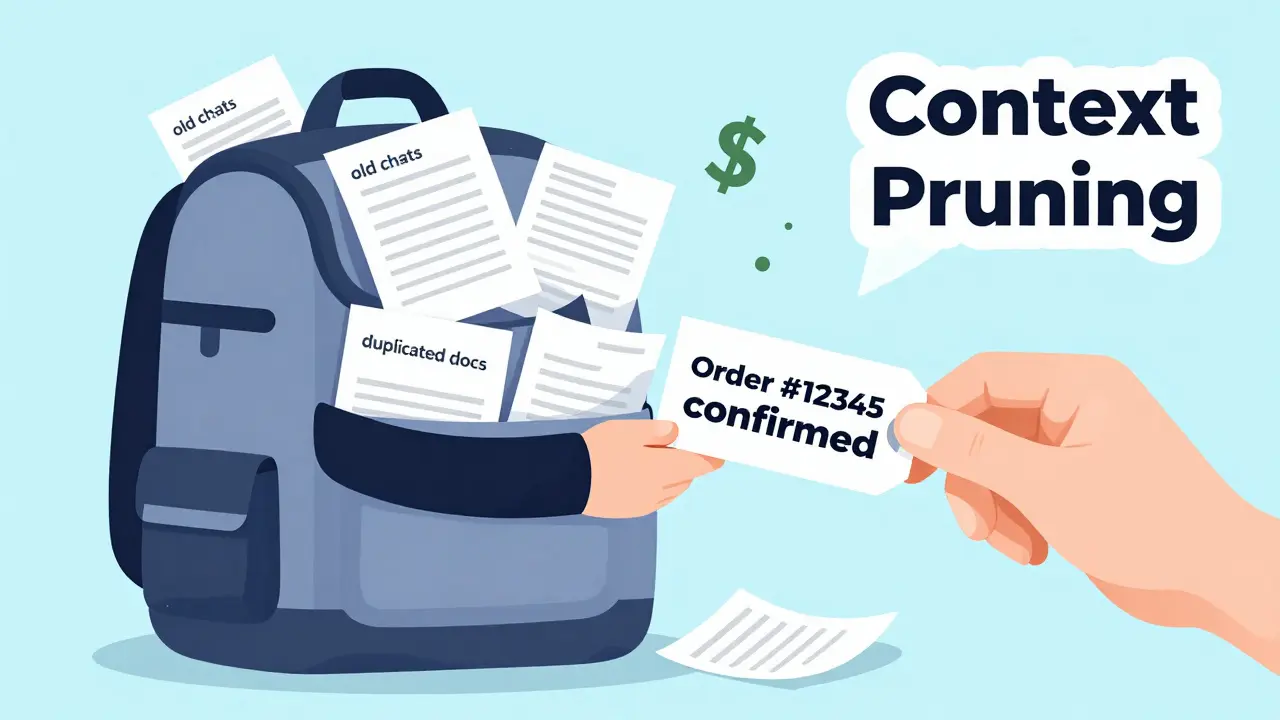
Every time an LLM agent processes a prompt, it reads every token in the context window. That includes the user’s message, past chat history, retrieved documents, tool outputs, and even your internal system notes. Most agents load everything in, no matter how irrelevant. That’s like carrying your entire closet into the bathroom just to pick out a shirt. The fix? Context pruning. Don’t just cut the fluff-cut the noise. Start by summarizing old conversation turns instead of keeping every word. If the user asked about their order status three messages ago, and you already answered it, don’t keep the full reply. Summarize: "User confirmed receipt of Order #12345." That alone can cut your context size by 30%. Use metadata tags to mark which parts are essential: "Required for decision", "Historical reference", "Irrelevant". Then train your agent to ignore the last two. One team at a logistics startup cut their average context length from 12,000 tokens to 7,200 using this method. Their monthly cost dropped by $41,000. No model change. No infrastructure upgrade. Just smarter context.Think Tokens Are the New Hidden Cost
Models like OpenAI’s o1 and DeepSeek R1 don’t just generate answers-they think. They run internal reasoning chains, simulate multiple approaches, and weigh options before responding. These are called "think tokens"-tokens spent not on output, but on internal processing. And they’re expensive. Think tokens can double or even triple your inference cost per request. But they’re not useless. For complex tasks-like debugging code, analyzing financial reports, or planning multi-step workflows-they’re worth it. The problem? Most agents use them for everything. The solution is task-based routing. Don’t let every agent use deep reasoning. Build a traffic cop for your AI:- Simple tasks ("What’s my balance?", "Schedule a meeting") → use GPT-3.5 or Claude Haiku. No think tokens needed.
- Standard tasks ("Explain this policy", "Draft an email") → use GPT-4o-mini or Claude Sonnet. Light reasoning.
- Complex tasks ("Analyze these 10 reports and find inconsistencies") → use GPT-4 or Claude Opus. Let it think.
Tool Calls Are Cost Multipliers
Tool calls seem harmless. The agent asks for weather data. Gets it. Uses it. Done. But here’s what happens in practice:- Agent calls API A → 150ms delay
- Agent reads result → adds it to context
- Agent calls API B → another 150ms
- Agent calls API C → again
- Agent re-reads all previous results → more tokens
- Batch tools. If the agent needs weather, stock price, and calendar, get them all in one call. Don’t make three separate trips.
- Cache results. If the weather for Seattle was queried 10 minutes ago, reuse it. Don’t re-fetch. Semantic caching works here-same location, same time window = same answer.
- Eliminate unnecessary calls. Does the agent really need to check the calendar to confirm a meeting time? Or can it infer it from context? Remove the call. Save the token.
Prompt Engineering Isn’t Just About Clarity-It’s About Economy
You’ve heard "be clear in your prompts." But few realize how much wording affects cost. Every extra word is a token. Every "could you please," "I was wondering," and "just a quick question" adds up. Compare these:- "Could you possibly provide me with a detailed explanation of how this function works?" → 12 tokens
- "Explain this function." → 4 tokens
- "Please," "Thank you," "Could you" (unless human-facing)
- "As an AI assistant," (the model already knows)
- "In order to," "with the purpose of," "due to the fact that"
Infrastructure Hacks: Batching, Quantization, and Caching
You can optimize prompts all day, but if your infrastructure is inefficient, you’re still bleeding money. Continuous batching (like vLLM) lets your GPU handle multiple agent requests in one pass. Instead of waiting for each request to finish, it groups them dynamically. One user saw 23x more throughput. Translation: you can run 23x more agents on the same server. Cost per request? Down 40%. Quantization shrinks your model. Convert from FP16 to INT4, and you cut memory use by 75%. Llama 3 8B in INT4 performs at 96% of the 70B model’s accuracy-while using 1/6th the memory. For agents that don’t need perfect reasoning (like chatbots or form fillers), this is a no-brainer. You get 50-60% cost savings just by switching formats. Semantic caching remembers similar queries. If ten users ask "How do I reset my password?" in different ways, cache the best response. Next time, serve it instantly. No LLM call. No cost. One support agent saw 42% of its queries hit the cache. That’s 42% of its monthly bill gone.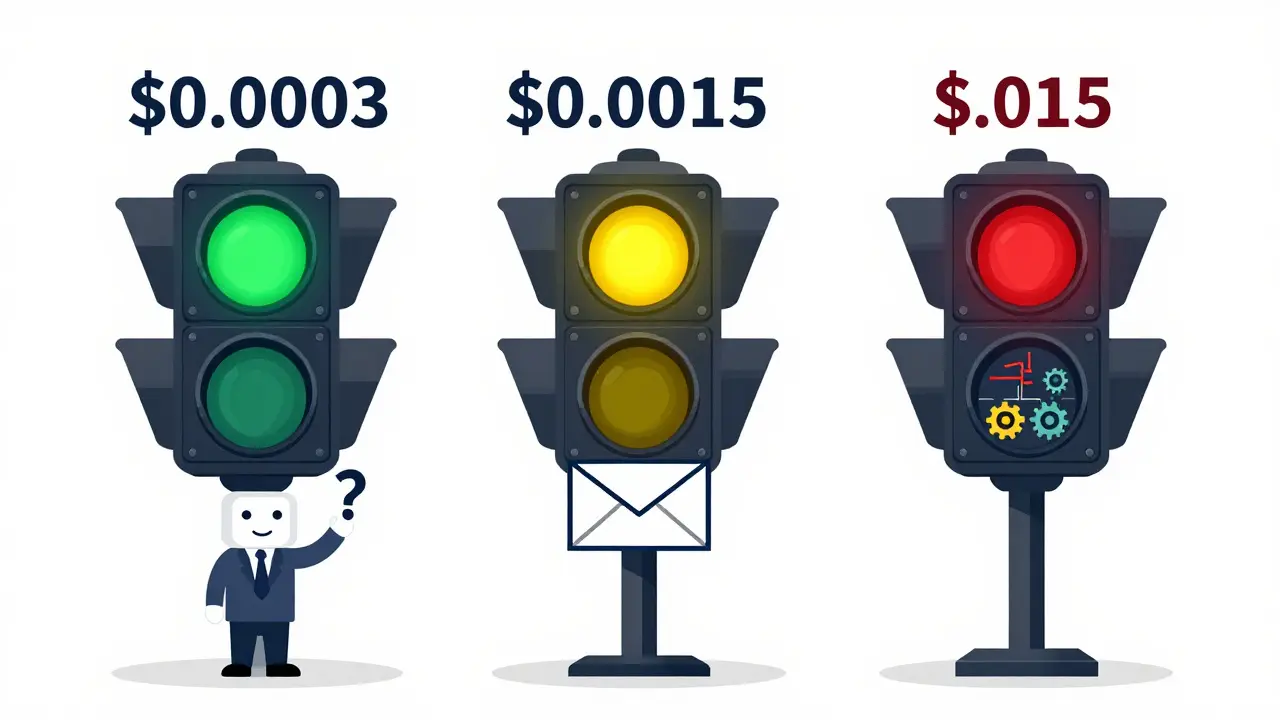
Model Routing: Not All Agents Need the Same Brain
This is the biggest lever most teams ignore. You don’t need GPT-4 to confirm a delivery date. You don’t need Claude Opus to answer "Is the office open?" Build a routing layer. Use a lightweight classifier (even a simple rule-based one) to decide which model handles each request:| Task Type | Model | Cost per 1k Tokens | Latency | Use Case |
|---|---|---|---|---|
| Simple queries | GPT-3.5 or Claude Haiku | $0.0003 | 180ms | FAQ, confirmations, greetings |
| Standard tasks | GPT-4o-mini or Claude Sonnet | $0.0015 | 320ms | Email drafting, summaries, basic analysis |
| Complex reasoning | GPT-4 or Claude Opus | $0.015 | 750ms | Code debugging, financial analysis, multi-step planning |
Monitoring: Know Where the Money Goes
You can’t control what you can’t measure. Most teams don’t track cost per request. They track "how many users" or "how many messages." That’s like measuring car mileage without checking fuel consumption. Start logging:- Token input/output per request
- Tool calls per session
- Context length before/after pruning
- Cache hit rate
- Model used
Final Strategy: Build Cost Control Into Your Agent Design
Cost control isn’t a post-launch fix. It’s a design principle. Here’s your checklist before deploying any agent:- Define the minimum model needed for the task.
- Prune context before every inference.
- Limit tool calls to one per decision cycle.
- Cache responses for repeated queries.
- Use continuous batching and quantization on self-hosted models.
- Route tasks to cost-appropriate models.
- Monitor every request’s cost in real time.
Are think tokens worth the extra cost?
Yes-but only for complex tasks. Think tokens improve accuracy on multi-step problems like code debugging or financial analysis. But for simple queries like "What’s the weather?" or "Book a meeting," they add cost without benefit. Use them selectively. Let lightweight models handle routine tasks.
Can I reduce costs without changing my model?
Absolutely. Most teams can cut 30-40% of their cost just by optimizing prompts, pruning context, and reducing tool calls. You don’t need a new model-you need smarter behavior. Trim filler words, summarize history, cache results, and batch tool use. These changes cost nothing to implement and deliver immediate savings.
Should I use cheaper models like GPT-3.5 for everything?
No. GPT-3.5 is fast and cheap, but it fails on complex reasoning. If your agent needs to analyze data, spot contradictions, or plan steps, it will hallucinate or give incomplete answers. The key is routing: use GPT-3.5 for simple tasks, and only switch to GPT-4 when the task demands deep reasoning. This balance gives you the best cost-to-quality ratio.
How do I know if my agent is overusing tool calls?
Track the number of tool calls per agent session. If it’s more than 2-3 on average, you’re likely overusing them. Look for patterns: Is the agent calling the same tool twice? Is it re-fetching data it already has? Use logging to see which tools are called most often. Then ask: Can this be cached? Can it be combined? Can it be removed entirely?
Is quantization safe for production agents?
Yes, for most use cases. Quantization (like INT4) reduces model size and speed without major quality loss-especially for tasks like chat, summarization, or classification. Testing shows models like Llama 3 in INT4 retain over 95% of the performance of their full-precision versions. Avoid it only if your agent needs perfect numerical accuracy (e.g., medical diagnostics or financial modeling). For everything else, it’s a safe and powerful cost saver.
What’s the fastest way to cut my LLM agent costs?
Start with context pruning and prompt trimming. These require zero infrastructure changes and deliver immediate savings. Then implement task-based model routing. Combine those with semantic caching, and you’ll likely cut 40-50% of your costs within two weeks. The rest-batching, quantization, tool batching-comes later as you scale.
Patrick Sieber
February 18, 2026 AT 10:23Smart breakdown. I’ve seen teams waste six figures on GPT-4 for chatbot FAQs. The routing table alone is worth printing and taping to every dev’s monitor. No model change needed-just discipline.
Kieran Danagher
February 19, 2026 AT 20:43Context pruning is the real MVP. I once worked with a team that kept 8000 tokens of chat history just because "it might be useful." Turned out the user asked about their order status once, then never mentioned it again. We cut it to 2000 tokens. Monthly bill dropped by $32k. No one even noticed.
OONAGH Ffrench
February 20, 2026 AT 02:32Think tokens are not a luxury they’re a diagnostic tool. The model isn’t overthinking-it’s compensating for poor task design. If your agent needs to reason about a weather query, you’ve already lost. Simplicity isn’t lazy. It’s architecture.
poonam upadhyay
February 22, 2026 AT 02:18Ugh this is why I hate tech bros-"just use GPT-3.5" like it’s a magic bullet. You think a $0.0003/token model can parse a legal contract? It’ll hallucinate clauses like it’s writing fanfiction. You want cheap? Fine. But don’t pretend cheap is smart.
sampa Karjee
February 23, 2026 AT 21:26You Americans think efficiency is about cutting corners. In India, we optimize because we have no choice. We don’t have $250k/month to waste on token bloat. We use INT4 quantized Llama 3 on a single T4. It works. Because we don’t worship the model-we serve the task.
Natasha Madison
February 25, 2026 AT 11:09They’re all lying. This is just a marketing tactic by OpenAI to sell more API credits. They want you to think "routing" and "pruning" are your friends. Meanwhile, they’re quietly raising prices on the models you actually need. Don’t fall for it. The real cost saver? Stop using LLMs for everything.
Sheila Alston
February 26, 2026 AT 23:04It’s not just about cost-it’s about ethics. Every unnecessary token is a carbon footprint. Every tool call is a server spinning in a data center somewhere. We’re not just wasting money-we’re wasting the planet. And yet people still ask "Can we make it faster?" instead of "Do we even need this?"
Shivam Mogha
February 27, 2026 AT 13:27Cache. Batch. Route. Prune. Done.