Designing Vector Stores for RAG with Large Language Models: Indexing and Storage
 Feb, 16 2026
When you ask an AI a question and it answers like it just pulled the answer from a hidden library, that’s not magic. It’s vector stores at work. Behind every accurate, context-rich response from a large language model (LLM) is a system that finds the right pieces of information before the answer is even written. That system? It starts with how you design the vector store - the heart of Retrieval-Augmented Generation (RAG).
Most people think RAG is just about feeding extra text to an LLM. But if your vector store is poorly built, you’ll get irrelevant snippets, slow responses, or answers that make no sense. The real challenge isn’t running an LLM. It’s building a vector store that retrieves the right context, every time.
What Exactly Is a Vector Store?
A vector store isn’t your typical database. It doesn’t look for exact matches like “cat” or “2025.” Instead, it stores numbers - dense arrays of hundreds or thousands of values - that represent the meaning of text. These are called embeddings. When you type a question, the system turns it into the same kind of number array, then hunts for the closest matches in the store.
Think of it like finding a book in a library by its vibe, not its title. You don’t search for “how to fix a leaky faucet.” You search for something that feels like it’s about plumbing, tools, and water pressure. The vector store finds that match using cosine similarity, a math trick that measures how close two vectors are in meaning, not just word overlap.
Without this, LLMs are guessing. With it, they’re informed.
The Two Phases: Indexing and Retrieval
Building a working RAG system breaks into two clear steps: indexing and retrieval. You do indexing once. You do retrieval thousands of times.
Indexing is the prep work. You take your data - manuals, FAQs, reports, chat logs - and break it into chunks. A chunk might be 500 words, or a single paragraph. Then you run each chunk through an embedding model. Hugging Face’s hkunlp/instructor-large is one popular choice. It turns text into a 768-dimensional vector. That vector gets saved in the vector store, along with the original text and any metadata (like source file, date, author).
Here’s the kicker: once you index, you don’t need to recompute it. Save the vectors locally. FAISS, an open-source library from Facebook AI, lets you store these on disk. Next time you run the system, it loads the saved vectors. No reprocessing. No wasted CPU. That’s how you keep response times under a second.
Retrieval happens when a user asks a question. The system takes that question, turns it into a vector using the same embedding model, then scans the store for the top 3-5 closest matches. This isn’t keyword matching. It’s semantic matching. A question like “How do I reset my password?” might pull up a chunk that says “To recover access, follow the account recovery steps on the login screen.” Even if the exact words aren’t there, the meaning lines up.
Choosing Your Vector Database
You have options. And each one changes how you build, scale, and maintain your system.
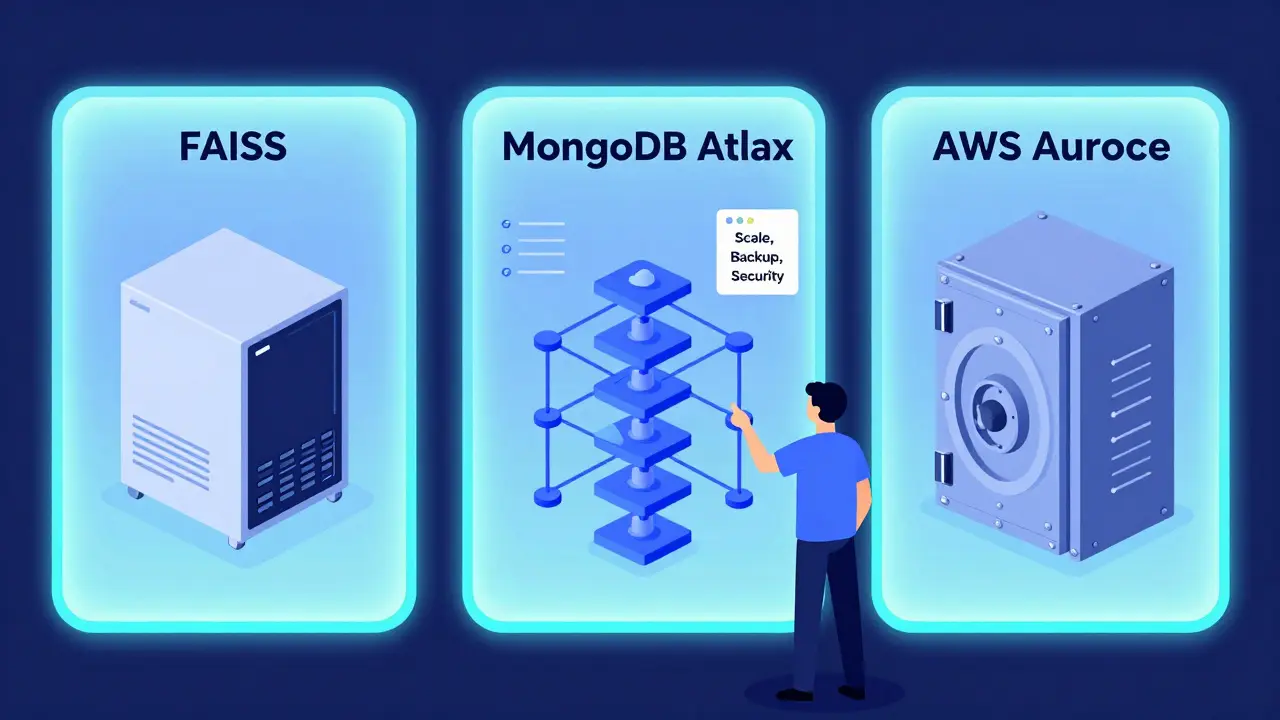
- FAISS: Fast, free, and runs on your own machine. Great for testing, small datasets, or edge deployments. You control everything. But if your data grows beyond a few million vectors, performance drops. And you’re on your own for replication and backups.
- MongoDB with Vector Search: If you’re already using MongoDB, this is a no-brainer. Store your documents, metadata, and vectors all in one place. No need to sync two systems. It handles scaling automatically and works with Atlas, so you don’t manage servers. Ideal for apps that need real-time updates and complex queries (like filtering by user role or date).
- AWS Aurora with pgvector: If your data lives in PostgreSQL and you need ACID compliance - like for financial or legal records - this is your best bet. pgvector adds vector search to PostgreSQL. You get transaction safety, point-in-time recovery, and joins between structured and vector data. But it’s heavier. Slower to set up. Overkill if you just need to answer customer questions.
- Amazon Bedrock Knowledge Bases: If you’re in AWS and want to skip managing vector stores entirely, this is the plug-and-play option. It handles ingestion, indexing, and retrieval through a single API. Great for enterprises that care more about security and compliance than tinkering under the hood.
Here’s the truth: most teams start with FAISS. It’s easy. It’s fast. It lets you learn the ropes. Then, when you need scaling, reliability, or multi-user access, you move to MongoDB or Aurora.
Embedding Models Matter More Than You Think
Not all embedding models are equal. Using the wrong one is like using a blurry camera. Your vectors won’t reflect real meaning.
For example, text-embedding-ada-002 from OpenAI works well for general use. But if you’re dealing with technical docs, hkunlp/instructor-large is better. Why? It was trained to follow instructions. You can prompt it: “Represent this sentence for retrieving relevant documents,” and it tunes its output accordingly. That makes a huge difference in retrieval accuracy.
And don’t forget normalization. Turning vectors into unit length (length = 1) makes cosine similarity more reliable. Most libraries do this by default, but if you’re building from scratch, check your settings.
Chunking: The Silent Killer of RAG Performance
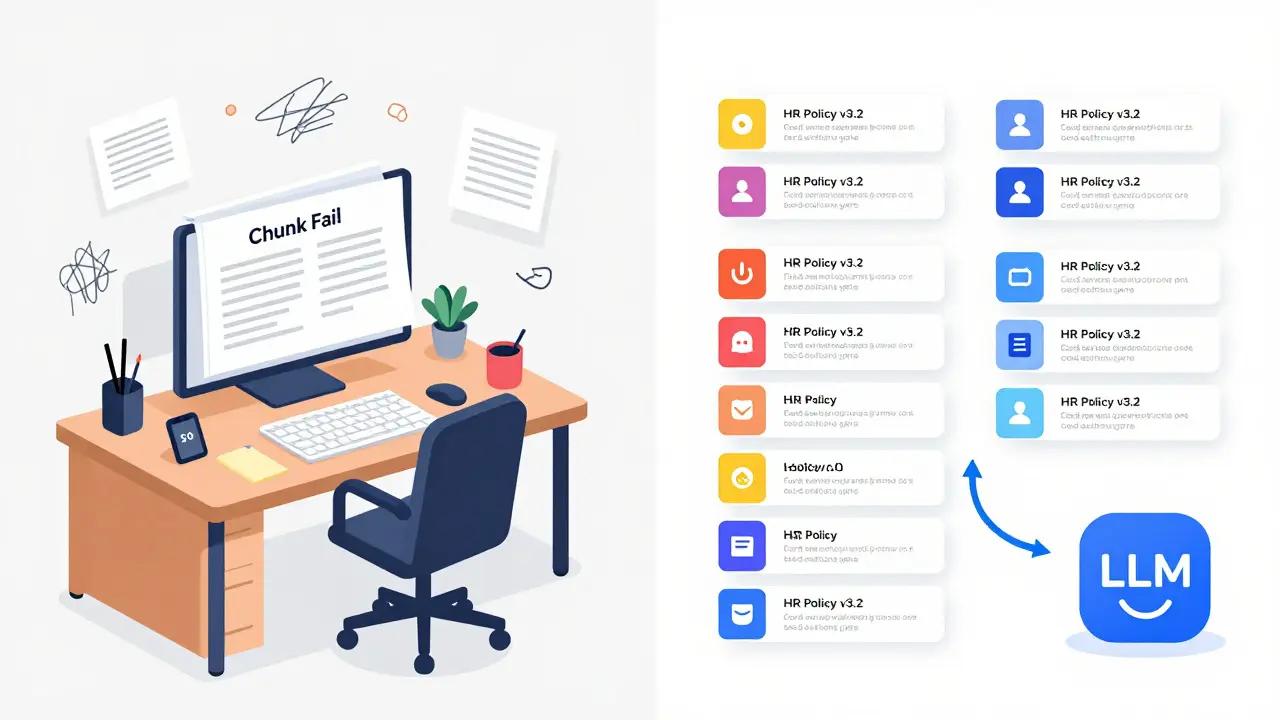
Here’s a common mistake: throwing entire PDFs into the vector store. One 50-page document becomes one giant chunk. Now, when someone asks about one specific step, the model gets 50 pages of noise. It can’t find the needle.
Chunking is art. Too small? You lose context. Too big? You drown in noise.
Try this: split text by logical sections - paragraphs, headings, or bullet points. Use overlap. If you cut a paragraph at 500 words, let the next chunk start with the last 50 words of the previous one. That way, the model sees the flow. It’s like reading a book with page numbers that repeat the last line.
For code documentation, chunk by function. For legal text, chunk by clause. For customer support logs, chunk by issue thread. The right chunk size depends on your data - not your tool.
Metadata Isn’t Optional
Every vector should carry baggage: source file, date, author, department, document type. Why? Because retrieval isn’t just about relevance - it’s about trust.
Imagine a user asks, “What’s the policy on remote work?” You retrieve three chunks. One says “yes,” one says “no,” one says “depends on team.” Without metadata, the LLM guesses. With metadata - like “source: HR Policy v3.2, updated 2025-11-15” - you can filter. You can say: “Only use results from HR Policy v3.2.”
Metadata turns a vague search into a targeted one. It’s your safety net.
Why Keyword Search Fails
Old-school search uses keywords. “How to reset password” finds documents with those exact words. But what if the doc says, “Recover your login credentials via the security portal”? Keyword search misses it. Vector search gets it.
Vector stores understand meaning. They know “reset,” “recover,” “regain access,” and “unlock account” are all the same idea. That’s why they’re essential for RAG. You can’t build an intelligent system on literal matches.
Real-World Trade-Offs
Let’s say you’re building a customer support bot for a SaaS company. You have 20,000 help articles. You start with FAISS on a single server. Works fine for 50 users. Now you hit 5,000 concurrent users. Queries slow down. Memory fills up.
Do you upgrade hardware? Or switch to MongoDB Atlas? The answer is usually the latter. Managed services handle scaling, backups, and failover. You focus on improving prompts and chunking.
Or say you’re in healthcare. Your data is sensitive. You need audit trails and encryption. FAISS won’t cut it. You need Aurora with pgvector, running on a private VPC. The trade-off? More setup. Less flexibility. But compliance? Guaranteed.
There’s no universal best. Only best for your use case.
Testing Your Vector Store
Don’t assume it works. Test it.
Build a small test set. 100 queries. 100 expected answers. Run your system. See what it retrieves. Did it find the right chunk? Was the answer accurate? Did it hallucinate because the context was weak?
Track metrics: retrieval accuracy (how often the top result is correct), latency (time from query to result), and coverage (how many questions have any useful context at all).
If retrieval accuracy is below 70%, go back. Improve your chunking. Try a different embedding model. Add metadata filters. RAG isn’t a set-it-and-forget-it system. It’s a tuning process.
What Comes Next?
Vector stores are the foundation. But they’re not the whole system. After retrieval, you need good prompting. You need to handle cases where no good context is found. You need to log failures and improve over time.
But none of that matters if your vector store is broken. Start here. Get indexing right. Get storage right. The rest follows.
What’s the difference between a vector store and a regular database?
A regular database finds exact matches using keywords or structured queries. A vector store finds similar meanings using numerical vectors. It doesn’t care if two phrases share words - it cares if they share meaning. That’s why it works for questions like “How do I fix this error?” even when the docs use different wording.
Do I need a GPU to run a vector store?
For indexing? Yes, if you’re embedding thousands of documents - it’s much faster. For retrieval? Not always. Once vectors are stored, searching on CPU is fine for small to medium datasets. FAISS runs well on CPU. Only if you’re doing real-time embedding (like processing live chat) do you need GPU power.
Can vector stores handle multiple languages?
Yes, if you use multilingual embedding models. Models like paraphrase-multilingual-MiniLM-L12-v2 can encode text from 100+ languages into the same vector space. That means a question in Spanish can retrieve a document in German - as long as both were embedded with the same model. Cross-lingual RAG is possible and used in global support systems.
How much storage do vector embeddings take?
Each embedding is typically 768 to 3072 numbers, each stored as a 4-byte float. So a 768-dimension vector takes about 3 KB. For 1 million documents, that’s roughly 3 GB. Add metadata and original text, and you’re looking at 10-15 GB. It’s manageable on a single server. Cloud services handle scaling automatically.
Is FAISS the best option for production?
FAISS is excellent for prototyping and small-scale use. But for production systems with high availability, replication, or multi-user access, managed solutions like MongoDB Atlas, AWS Aurora with pgvector, or Amazon Bedrock are better. FAISS lacks built-in security, backup, and scaling. Use it to learn - then move to a production-grade system.
Tamil selvan
February 16, 2026 AT 17:48Excellent breakdown of vector stores and RAG architecture-this is the kind of clarity the field desperately needs.
Many engineers treat embedding models as black boxes, but your emphasis on instructor-large and instruction-tuning is spot-on.
I’ve seen teams waste months on FAISS deployments, only to collapse under production load-your migration path to MongoDB Atlas is pragmatic.
Also, the point about metadata as a safety net? Absolutely critical. I once debugged a bot for weeks until I realized we weren’t filtering by document version.
Normalization is another overlooked detail; cosine similarity without unit vectors introduces subtle bias.
Chunking by logical sections-not byte count-is the difference between a useful answer and a hallucination.
And yes, cross-lingual RAG works. We deployed a multilingual support system using paraphrase-multilingual-MiniLM-L12-v2, and it handled Spanish, German, and Hindi queries with 89% accuracy.
Testing with 100 curated queries? Do it. Don’t trust your metrics until you’ve manually validated top retrievals.
Storage estimates are accurate too: 3KB per vector scales cleanly. A 5M vector set? That’s 15GB-manageable on a single m6i.xlarge.
Thank you for writing this. It’s rare to see such a balanced, experience-based guide.
One suggestion: add a footnote on quantization. FP16 vs. INT8 can halve memory usage with minimal accuracy loss.
Keep up the great work.
Mark Brantner
February 17, 2026 AT 04:12Kate Tran
February 19, 2026 AT 00:56Love this. The metadata point? Game changer.
I worked on a legal tech tool once-no filters, just raw vectors. We got responses citing contracts from 2012 when the user asked about 2024 policy. Chaos.
Adding source + date + version? Cut hallucinations by 70%. Simple.
Also-chunk overlap. Yes. Always. I’ve seen people chunk by sentence and wonder why context vanishes. No. No. No.
And FAISS? Perfect for POCs. Not for prod. Learned that the hard way.
Thanks for writing this. Took me 3 years to figure out half this stuff.
amber hopman
February 20, 2026 AT 14:45I’m so glad someone finally called out embedding model selection.
So many blogs act like text-embedding-ada-002 is the universal answer. It’s not.
For technical docs? Instructor-large is leagues ahead. I tested both on our engineering wiki-accuracy jumped from 58% to 84%.
And normalization? Always check. I had a bug where vectors weren’t unit-length-cost us two weeks of debugging.
Chunking by paragraph > fixed size. Always. Even if it means slightly longer retrieval time.
Also-yes to testing with 100 queries. If you’re not measuring retrieval accuracy, you’re flying blind.
This is the most useful RAG guide I’ve read in 2025.
Jim Sonntag
February 21, 2026 AT 16:01Deepak Sungra
February 22, 2026 AT 07:30