Designing Vector Stores for RAG with Large Language Models: Indexing and Storage
 Feb, 16 2026
When you ask an AI a question and it gives you a detailed, accurate answer that feels like it just pulled knowledge from thin air, you’re not talking to a magic box. You’re talking to a system built on something far more practical: vector stores. These aren’t your grandfather’s databases. They don’t look up keywords or match exact phrases. Instead, they understand meaning - and that’s what makes them essential for modern AI systems using Retrieval-Augmented Generation (RAG).
Why Vector Stores Matter in RAG
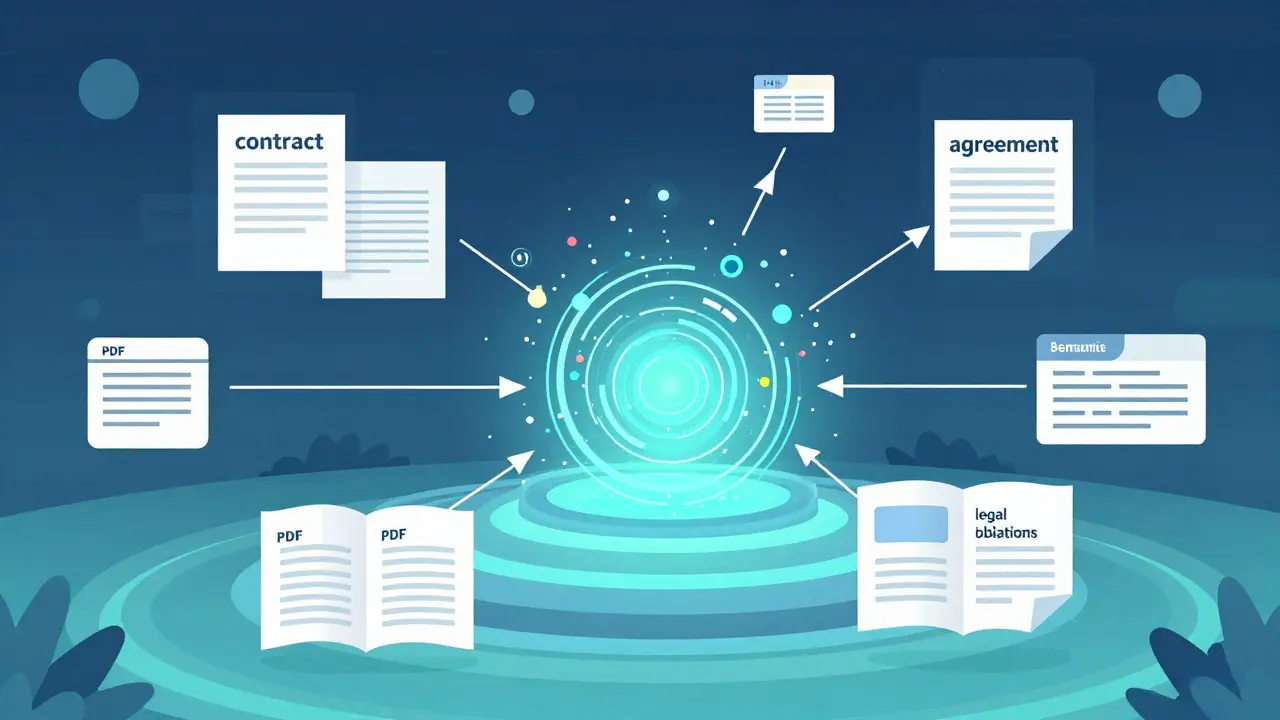
Large Language Models (LLMs) like Llama 2 or GPT are powerful, but they have one big flaw: they’re stuck with what they learned during training. If your company updated its policies last week, or if a new product launched yesterday, the model doesn’t know. That’s where RAG comes in. It gives LLMs access to live, up-to-date information by retrieving relevant data just before answering a question. The magic happens in two steps. First, the system finds the most relevant pieces of text from your knowledge base - not by searching for the word "contract," but by understanding that "terms of service," "agreement," and "legal obligations" are all related. Second, it feeds those pieces into the LLM as context. The model then generates a response based on both its internal knowledge and this fresh, targeted input. This only works if the system can find those relevant pieces quickly. That’s where vector stores come in. They store text as numerical vectors - long lists of numbers that represent meaning. When you ask a question, it gets turned into a vector too. The system then finds the closest matches in the store using similarity scores. Think of it like finding the nearest star on a star map, not by name, but by position.The Four-Step Indexing Pipeline
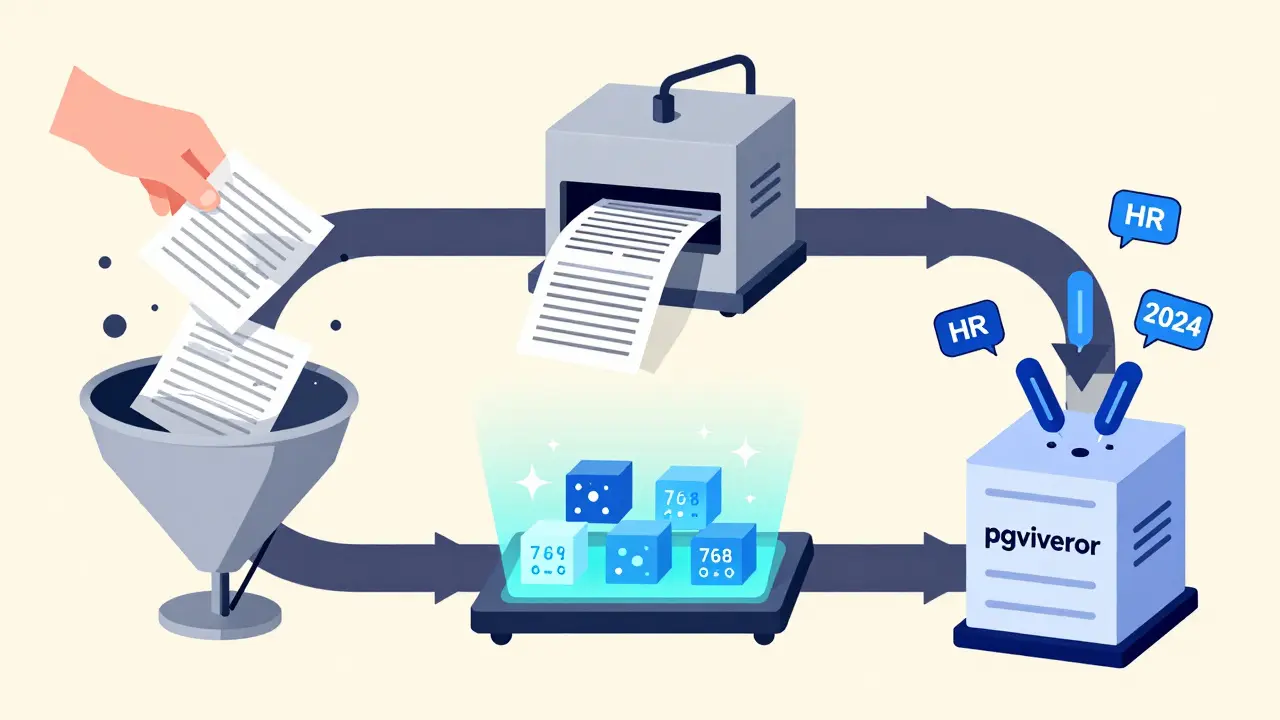
Building a working vector store isn’t about plugging in a tool and hoping for the best. It’s a pipeline with four non-negotiable steps.- Data Loading - You start with whatever data you have: PDFs, databases, help docs, internal wikis. The system reads it all in. No format is off-limits, but messy data causes problems later.
- Data Splitting - Large documents don’t work well. A 50-page manual turned into one vector? The model will drown in irrelevant details. Instead, you break content into chunks - usually 256 to 512 tokens long. Too small, and you lose context. Too big, and you get noise. Finding the sweet spot depends on your data type.
- Data Embedding - This is where text becomes numbers. You use an embedding model like Hugging Face Instructor-large a multilingual embedding model that transforms text into high-dimensional vectors optimized for semantic similarity. This model reads each chunk and outputs a vector - say, a 768-number array. Each number represents a subtle feature of meaning: tone, topic, intent, even implied relationships.
- Data Storage - Now those vectors go into a vector store. This isn’t just saving files. It’s building an index - a smart structure that lets the system find similar vectors in milliseconds, even across millions of entries.
How Vector Stores Differ from Traditional Databases
Traditional databases - like PostgreSQL or MySQL - find data using exact matches: "WHERE status = 'active'" or "LIKE '%renewal%'". They’re great for structured data, but terrible for meaning. Vector stores work differently. They use cosine similarity a mathematical measure that calculates how aligned two vectors are, with values ranging from -1 (opposite) to 1 (identical) to compare query vectors with stored ones. A score of 0.95 means near-perfect match. A score of 0.3? Not relevant. This is why keyword search fails in RAG. If someone asks, "How do I reset my password?" and your docs say, "Recover access to your account," keyword search misses it. Vector search sees: "reset," "password," and "recover access" all point to the same concept. It finds the match. Vector stores also store metadata alongside vectors - things like document source, date, author, or department. That lets you filter results: "Only show me finance docs from last quarter." This combo - semantic search + metadata filtering - is what makes vector stores production-ready.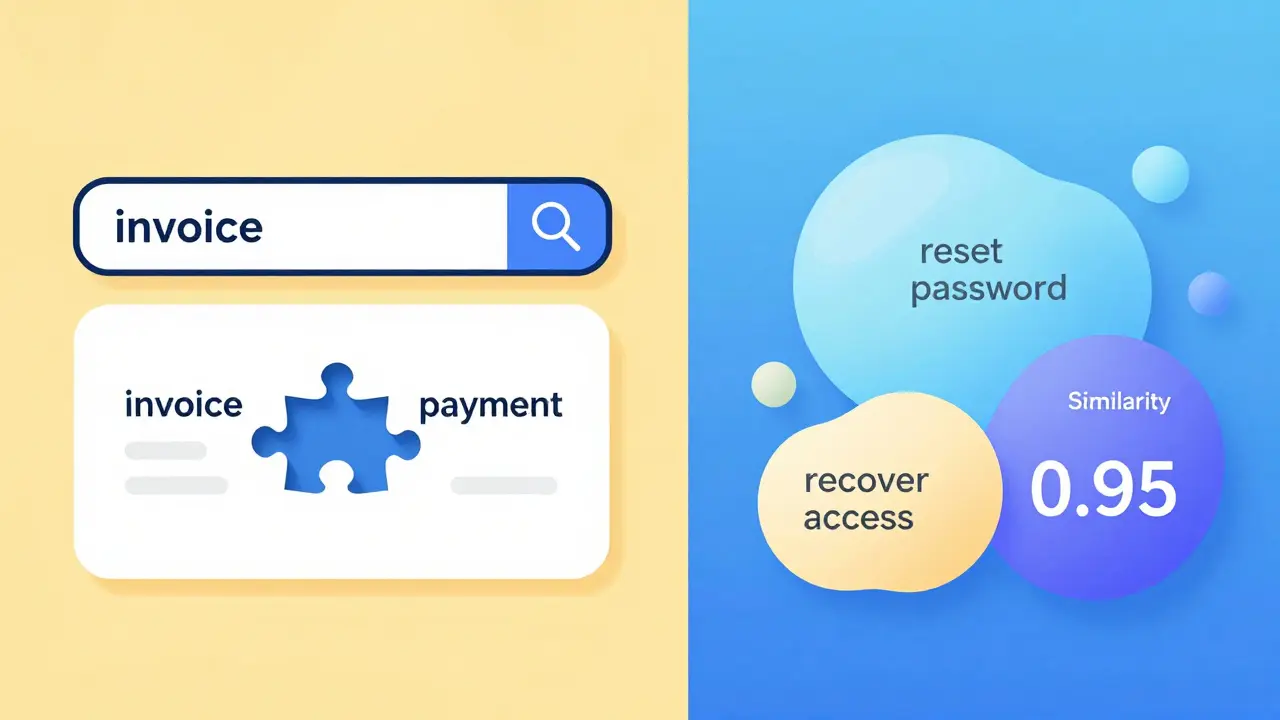
Choosing a Vector Store: FAISS, pgvector, MongoDB, and Others
Not all vector stores are built the same. Your choice depends on your needs.- FAISS an open-source library from Meta for fast similarity search on large-scale vector datasets, often used for local development and prototyping - Great for testing. You can run it on your laptop. It’s fast, free, and lets you save indexes locally. But it’s not a database - no persistence, no user access, no scaling. Perfect for PoCs, not production.
- pgvector an open-source PostgreSQL extension that adds native vector search capabilities, enabling ACID-compliant storage with SQL joins and point-in-time recovery - If you already use PostgreSQL, this is your easiest upgrade. You store vectors alongside user records, transaction logs, or product data. Need to join a vector result with a customer’s order history? Done. Ideal for apps needing strong data consistency.
- MongoDB Atlas a fully managed document database with built-in vector search, allowing storage, indexing, and querying of embeddings without needing a separate system - If your data is already in MongoDB, why add another system? MongoDB’s vector search lets you mix document queries with semantic search. Need documents from "Marketing" with high similarity to a query? One query does it. Great for teams already using NoSQL.
- AWS Bedrock Knowledge Bases a managed service by Amazon that handles vector indexing, retrieval, and security for RAG, supporting multiple vector database backends and enterprise-grade governance - If you’re in the cloud and want to focus on your app, not infrastructure, this is it. It handles encryption, logging, access control, and scaling. You just upload data. It builds the index. You get API endpoints. Perfect for enterprises.
Real-World Optimization: What Actually Works
Most RAG demos look perfect. Real systems? They break. Here’s what fixes them.- Chunk size matters - 512 tokens works for most text. But for code, try 256. For legal docs, go up to 1024. Test different sizes. Measure recall - how often the right answer is retrieved.
- Embedding model choice - Not all models are equal. Instructor-large works well for general use. For non-English, try multilingual e5. For domain-specific terms (medical, legal), fine-tune your own. Don’t just use the default.
- Hybrid search - Combine vector search with keyword search. Sometimes "2025 tax deadline" is better found by exact match. Use both. Rank results by confidence.
- Metadata filtering - If you only want HR docs, filter by "department: HR" before vector search. It cuts noise and speeds things up.
- Cache frequently asked queries - If 10 people ask "How do I file PTO?" in a week, cache the top 3 results. Skip re-searching. Saves cost and latency.
What Goes Wrong - And How to Avoid It
Here are the top three mistakes people make:- Using the wrong embedding model - If you train on English docs but your users ask in Spanish, your vectors won’t align. Use multilingual models. Test with real queries.
- Not updating the index - If you add new documents and don’t re-index, your system becomes outdated. Build a pipeline that runs daily. Even if it’s just one new file.
- Ignoring latency - Vector search is fast, but not instant. If your app takes 3 seconds to respond, users leave. Monitor each step: embedding time, retrieval time, generation time. Optimize the slowest.
Future-Proofing Your Vector Store
RAG isn’t going away. But the tools will evolve. Right now, most systems use dense vectors - long arrays of numbers. Soon, we’ll see sparse vectors, hybrid models, and even neural indexing. But the core won’t change: meaning matters more than keywords. Start with a simple setup. Use FAISS to test. Move to pgvector or MongoDB if you need persistence. Use AWS Bedrock if you need enterprise controls. But always test with real data. Real questions. Real users. The best vector store isn’t the one with the most features. It’s the one that answers your users’ questions - accurately, quickly, and without you having to think about it.What’s the difference between keyword search and vector search in RAG?
Keyword search looks for exact word matches - like finding documents with the word "invoice." Vector search finds meaning. If you ask "How do I get my payment?" it might return documents saying "check processing status" or "track your refund," even if those exact words aren’t in the query. It’s based on how similar the meaning is, not the wording.
Do I need a separate database for vector storage?
Not necessarily. You can use a dedicated vector database like Pinecone or Weaviate, or you can add vector search to your existing system. PostgreSQL with pgvector lets you store vectors alongside your tables. MongoDB has built-in vector search. The choice depends on your current stack. If you’re already using one of these, start there. Don’t overcomplicate it.
Can vector stores handle multilingual data?
Yes - if you use the right embedding model. Models like Hugging Face multilingual e5 a cross-lingual embedding model trained to align meanings across 100+ languages can turn text from English, Spanish, or Japanese into vectors that live in the same space. That means a query in one language can retrieve relevant content in another. This is crucial for global companies.
How often should I re-index my vector store?
Whenever your data changes. If you update your knowledge base daily, re-index daily. If it’s monthly, do it monthly. The key is automation. Set up a cron job or a pipeline trigger. Never rely on manual updates. Outdated vectors lead to wrong answers - and that breaks trust.
Is FAISS good enough for production?
FAISS is excellent for testing, prototyping, or small internal tools. But it’s not designed for production use. It doesn’t handle user access, scaling, backups, or concurrent queries well. If you’re building something for real users - especially outside your team - move to a managed solution like pgvector, MongoDB, or AWS Bedrock. FAISS is a tool, not a platform.
If you’re just starting with RAG, focus on one thing: getting the retrieval right. The LLM will handle the rest. Build your vector store carefully. Test it with real questions. Iterate. And remember - the best AI doesn’t know everything. It just knows how to find what it needs.
Mark Brantner
February 18, 2026 AT 02:07Kate Tran
February 19, 2026 AT 19:10amber hopman
February 21, 2026 AT 11:00Jim Sonntag
February 22, 2026 AT 20:46Samar Omar
February 24, 2026 AT 02:26Deepak Sungra
February 25, 2026 AT 03:37Christina Morgan
February 26, 2026 AT 00:09Kathy Yip
February 26, 2026 AT 12:02Tamil selvan
February 27, 2026 AT 22:23Anuj Kumar
February 28, 2026 AT 11:11