Planning and Tool Use for LLM Agents: How to Turn Objectives into Real Actions
 Dec, 19 2025
Most people think AI assistants just answer questions. But the real breakthrough isn’t in chat-it’s in action. What if your AI could plan a multi-step task, open a CRM, pull customer data, draft an email, and send it-all without you lifting a finger? That’s not science fiction. It’s what LLM agents do today, and the way they plan and use tools is changing how businesses automate work.
From Words to Actions: The Core Shift in AI
Early AI models were great at writing essays, summarizing articles, or answering trivia. But they couldn’t do much beyond that. If you asked them to book a flight, they’d give you a list of steps. They wouldn’t actually book it. The problem? They had no way to interact with the real world. That changed with planning and tool use. Now, LLM agents don’t just talk-they act. They take a high-level goal like “Reschedule all meetings for next week due to travel” and break it down into real actions: check calendar, identify conflicts, send new invites, update attendees, confirm time zones. This isn’t just prompting. It’s structured reasoning with execution. The ReAct framework, introduced in 2022, was the first to show how to combine reasoning and acting in one flow. Instead of just thinking, the agent says: “I need to find the meeting times. Let me check the calendar API.” Then it does it. Then it thinks again: “Conflict found with John’s flight. Need to propose 3 new slots.” This back-and-forth between thought and action is what makes these systems work.How LLM Agents Actually Plan: The Four-Step Cycle
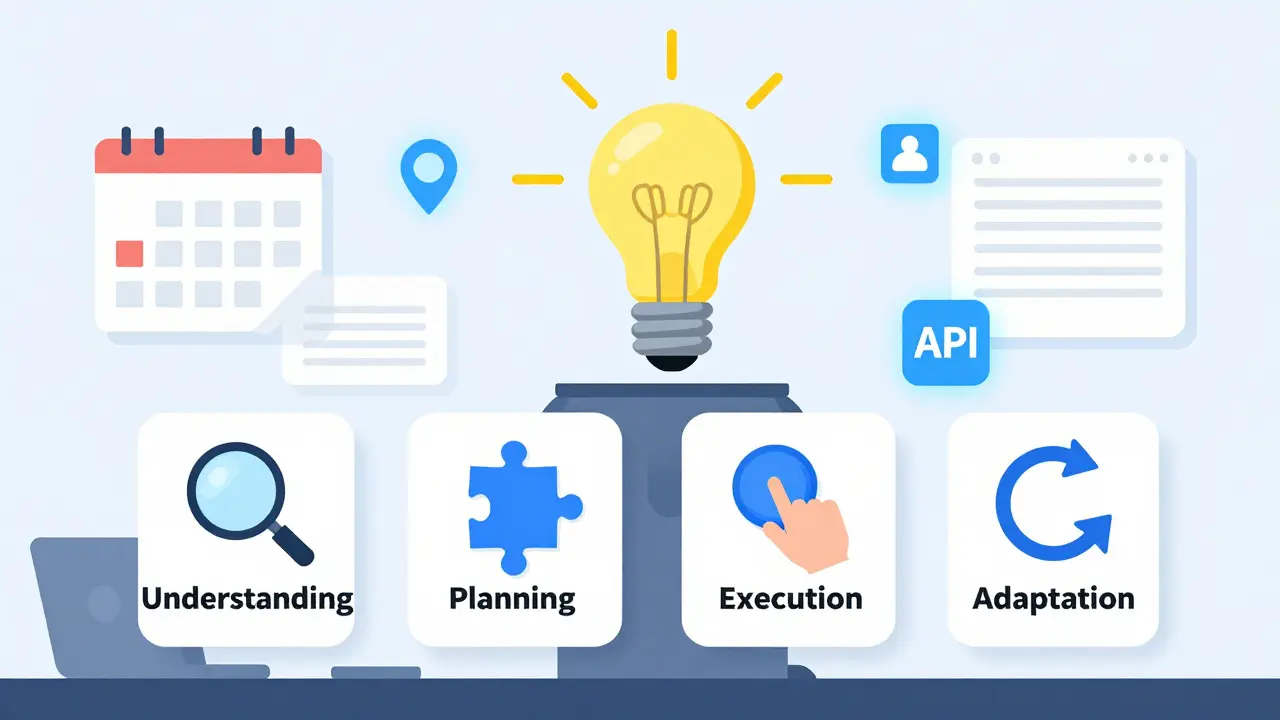
Every effective agent follows a cycle. It’s not magic-it’s a repeatable structure. Here’s how it breaks down:- Understanding: The agent reads your goal and asks: What exactly do you want? “Increase sales” is too vague. “Email top 10 clients with Q4 discount by Friday” is actionable.
- Planning: It breaks the goal into steps. For the email task, that might mean: pull client list from CRM → filter by purchase history → generate personalized message → schedule send time → log action.
- Execution: It calls tools. APIs. Databases. Calendar apps. Web scrapers. Each step triggers a real function, not just text.
- Adaptation: Did it work? If the email bounced, it tries again. If the client replied with a question, it responds. It learns from feedback, even if it’s just one interaction.
Why Action Sequences Matter More Than Problem Similarity
Here’s where most systems still fail. Traditional AI looks at problems like “Book a flight” and “Plan a trip” and says, “They’re both travel-related-use the same steps.” But that’s wrong. Booking a flight is one action. Planning a trip involves hotels, visas, itineraries, budgets. Similar goals, wildly different actions. The new breakthrough? GRASE-DC, published in May 2025. Instead of matching problems, it matches action sequences. It asks: “What did other agents do in similar situations?” Not “What’s the topic?” but “What did they actually do?” This cuts false positives by over 22%. For example, if you ask an agent to “Transfer funds between accounts,” it won’t confuse that with “Check account balance,” even though both involve banking. One triggers a payment API. The other just reads data. GRASE-DC learns from real sequences, not surface-level labels. And it works better with fewer examples. Most systems need 100+ sample tasks to learn. GRASE-DC gets 40% of the way there with just 20. That’s huge for businesses that can’t afford to label thousands of workflows.
Tools Are the Real Power Source
An LLM agent is just a brain. Tools are its hands. Without them, it’s useless. Common tools include:- CRM APIs (Salesforce, HubSpot)
- Calendar integrations (Google Calendar, Outlook)
- Database queries (PostgreSQL, MongoDB)
- Web search and scraping (for real-time data)
- File systems (upload/download documents)
- Custom scripts (Python functions for internal logic)
Real-World Performance: What Works and What Doesn’t
The numbers tell a clear story. In benchmarks like WebShop (e-commerce) and AlfWorld (virtual environments), agents using ReAct and GRASE-DC outperform older methods by 11 to 40 percentage points in task completion. That’s not a small win-it’s the difference between a system that works 60% of the time and one that works 95% of the time. But real-world use is messier. A company using GRASE-DC for e-commerce automation reported 83% success-but spent 37 hours manually curating examples. Another firm cut customer service steps by 62%, but users complained about unpredictable edge cases. Sixty-eight percent of negative reviews mention “unpredictable behavior.” Why? Because agents are brittle. If a task is outside their training, they hallucinate. They invent tools that don’t exist. They assume permissions they don’t have. They miss time-sensitive constraints. One GitHub issue shows 31% of systems fail when dealing with deadlines that change during execution. Large Action Models (LAMs) are the next step. These aren’t just LLMs with plugins-they’re built from the ground up to use tools. They’re 28.6% more accurate in enterprise tasks. But they use 3.2 times more computing power. That’s fine for back-office automation. Not for real-time chatbots.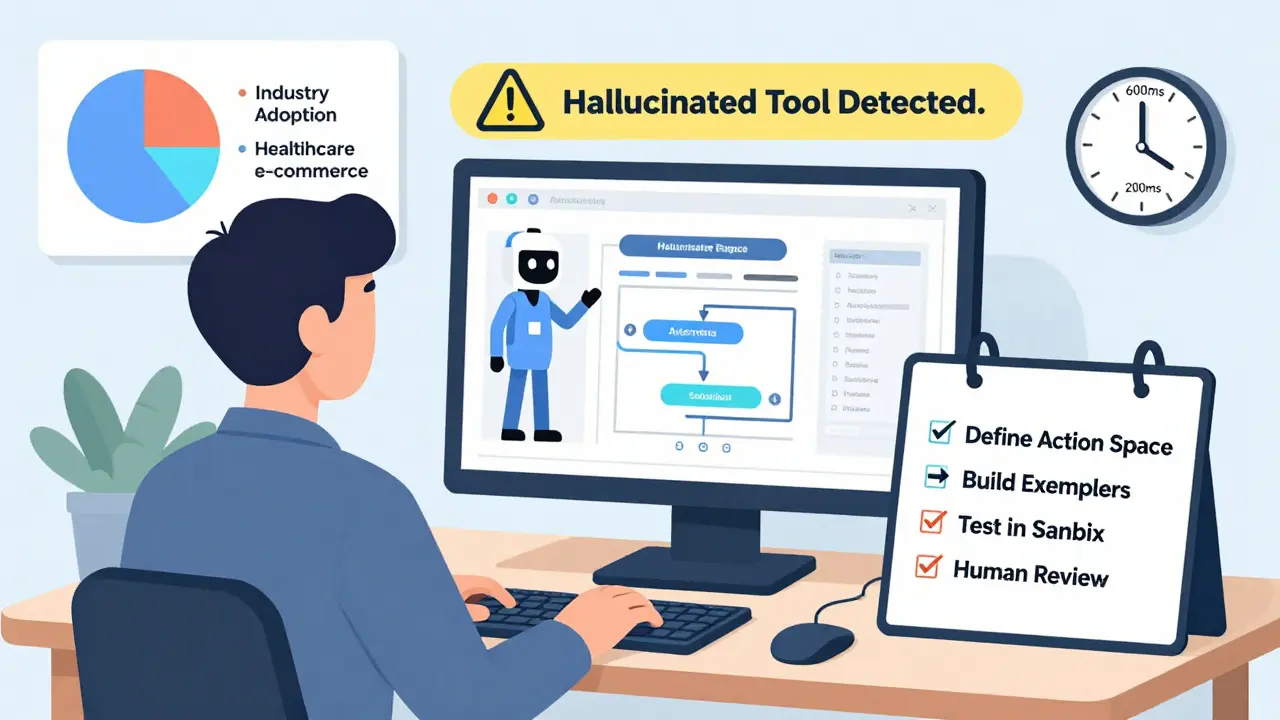
Getting Started: The Real Roadmap
If you want to build or use an agent, here’s what actually works:- Define your action space. What tools can it use? What can’t it do? Be strict. Don’t let it access your payroll system unless absolutely necessary.
- Build a library of validated action sequences. Start with 10-20 real tasks. Don’t guess. Use logs from past human work. These are your exemplars.
- Choose your framework. LangChain is popular (18,400 stars on GitHub), but it’s not perfect. Many users complain about lack of real-world examples. LlamaIndex is better for data-heavy tasks.
- Test in a sandbox. Don’t deploy to production until you’ve run 50+ test runs. Watch for hallucinations, infinite loops, or tool errors.
- Add human review. Even the best agents need oversight. Use a “human-in-the-loop” step for high-stakes actions like payments or data deletion.
What’s Next: The Road Ahead
The market for these systems is exploding. It hit $2.4 billion in late 2025 and is growing nearly 50% a year. By 2026, 70% of enterprise AI deployments will include some form of planning agent. But the winners won’t be the ones with the biggest models. They’ll be the ones who solve the real problems:- Reducing the number of examples needed-from hundreds to dozens.
- Cutting planning time from 600ms to under 200ms.
- Building standardized benchmarks so we can compare agents fairly.
- Creating tools that work without constant retraining.
Final Thought: Agents Are Tools, Not Replacements
The biggest mistake people make is thinking LLM agents will replace workers. They won’t. They’ll replace repetitive, rule-based tasks. The human role shifts to oversight, refinement, and handling the weird edge cases the agent can’t solve. An agent can draft 100 emails. But only a person can tell if the tone is right for a disgruntled client. An agent can schedule meetings. But only a person can sense when a client needs a call instead. The future isn’t AI doing everything. It’s AI doing the boring stuff-so humans can focus on what matters.What’s the difference between an LLM and an LLM agent?
An LLM (like GPT-4 or Claude) generates text based on prompts. It doesn’t interact with tools or systems. An LLM agent uses that text-generation ability but adds planning and tool use. It breaks goals into steps, calls APIs, checks results, and adapts. It doesn’t just answer-it acts.
Do I need to code to use LLM agents?
You don’t need to be a developer, but you do need technical help. Most tools like LangChain require setting up API connections, defining permissions, and writing prompts. If you’re using a pre-built product (like Interloom or Anthropic’s Claude Actions), you can configure it with minimal code. But custom workflows? You’ll need engineers to build and maintain them.
How accurate are LLM agents in real business settings?
Accuracy varies. In controlled environments like benchmarks, top agents hit 90%+ success. In real business use, it’s more like 70-85%. Success depends on how well you define tasks, how clean your data is, and how much you test. Systems that use GRASE-DC or ReAct with human review perform best. Those that try to run fully autonomous? They fail often.
What are the biggest risks of using LLM agents?
Three main risks: hallucinated actions (the agent thinks a tool exists but it doesn’t), unintended feedback loops (an agent keeps triggering the same task), and lack of explainability (you can’t see why it made a decision). Also, regulatory compliance is growing. The EU now requires logs of every action taken by an agent in high-risk areas like finance or healthcare.
Which industries are using LLM agents the most?
Financial services lead with 41% adoption, followed by healthcare (37%) and e-commerce (32%). Common uses: automating claims processing, scheduling patient follow-ups, handling returns, and personalizing marketing emails. Logistics companies use them for route planning and inventory updates. Any business with repetitive, rule-based workflows is a candidate.
Can LLM agents work with legacy systems?
Yes, but it takes work. Most legacy systems don’t have APIs. The solution is to build wrappers-small programs that translate between old systems and modern tools. For example, a company with a 1990s inventory database used a Python script to extract data into JSON, then connected it to an LLM agent. It took 6 weeks, but now the agent updates stock levels automatically.
How much does it cost to deploy an LLM agent?
Costs vary widely. A simple agent using open-source models and free APIs might cost under $500/month in cloud fees. A complex one with enterprise tools, custom development, and human oversight can cost $20,000-$50,000 to build, plus $3,000-$10,000/month to run. ROI comes from labor savings. One company saved 62% of customer service hours-equivalent to 3 full-time employees.
What’s the best way to start experimenting with LLM agents?
Start small. Pick one repetitive task: sending follow-up emails after meetings, updating spreadsheets from form responses, or checking inventory levels daily. Use LangChain or AutoGen to connect your calendar or email to a simple LLM. Write 5-10 clear examples of the task. Test it for a week. If it works 80% of the time, scale it. If not, refine the prompts or add more examples.
Tasha Hernandez
December 20, 2025 AT 00:46Oh wow, another ‘AI will do your job for you’ fairy tale. Let me guess-next they’ll sell us robot therapists to cry into while we get fired. 🙄 I’ve seen these ‘agents’ try to send emails and end up drafting a novel about why your cat’s name is Barry. Real ‘action’? More like real chaos with extra steps and a 3am panic button.
Anuj Kumar
December 21, 2025 AT 07:40This is all a lie. Big Tech wants you to think AI can work so you stop asking questions. Who really owns the calendar API? Who wrote the tool? Who’s watching the logs? They’re not agents-they’re puppets with fancy names. And GRASE-DC? Sounds like a secret NSA project. You think this is innovation? It’s control.
Christina Morgan
December 23, 2025 AT 03:49I love how this breaks down the actual workflow instead of just talking about ‘prompt engineering’ like it’s magic. Seriously-most people think AI is a genie in a chatbox. But this? This is like teaching someone to cook instead of just handing them a microwave. The four-step cycle is gold. And the part about tools being hands? Chef’s kiss. I’ve seen teams waste months trying to ‘optimize prompts’ when they didn’t even have the right API keys. Start with the tools. Always.
Kathy Yip
December 23, 2025 AT 07:40Wait… so if the agent makes a mistake, like sending an email to the wrong person because it misread a name… does it learn? Or does it just keep doing it? I’m trying to wrap my head around adaptation. Like, if it hallucinates a tool that doesn’t exist, does it just… keep trying forever? Or does it give up and say ‘I don’t know’? I feel like this is both brilliant and terrifying. I need to know how it handles uncertainty. Because humans are messy. What if the goal is messy too?
Bridget Kutsche
December 23, 2025 AT 10:04Y’all are overcomplicating this. Start small. Pick one thing. Like, I used to manually copy data from Google Forms into a spreadsheet every Monday. Took me 45 minutes. I used AutoGen + Sheets API. Took me 3 days to set up. Now it runs automatically. I get coffee. The agent didn’t replace me-it gave me back my mornings. That’s the win. You don’t need a PhD or a $50k budget. Just pick one boring task and let the bot do it. Seriously. Try it. You’ll be shocked how much mental space it frees up.
Jack Gifford
December 23, 2025 AT 14:49Grammar nitpick: ‘It doesn’t just answer-it acts.’ Should be ‘It doesn’t just answer-it acts.’ No comma needed. But seriously, this is the best breakdown I’ve read. The GRASE-DC part? Game-changer. I’ve seen so many agents confuse ‘check balance’ with ‘transfer funds’-it’s insane. And yes, human review is non-negotiable. I had one try to delete a client’s entire CRM record because it thought ‘cleanup’ meant ‘wipe everything.’ We caught it in sandbox, thank god. But still… 31% fail on deadline changes? Oof. We need better error handling. Maybe even a ‘pause and ask’ protocol built in.