Accessibility-Inclusive Vibe Coding: WCAG Patterns by Default
 Aug, 31 2026
You’re moving fast. You’re prompting GitHub Copilot to build a dashboard, and it spits out code in seconds. It looks great. But if you plug in a screen reader right now, you’ll likely hear nothing but silence or gibberish. That’s the dirty secret of modern development speed: we’ve traded accessibility for velocity.
This is where Accessibility-Inclusive Vibe Coding changes the game. Coined by experts at Deque Systems in mid-2024, this isn’t just about fixing bugs later. It’s about baking WCAG (Web Content Accessibility Guidelines) compliance directly into the AI generation loop. Think of it as teaching your AI assistant not just how to write code that works, but code that everyone can use.
| Metric | Traditional Audit | Vibe Coding Approach |
|---|---|---|
| Initial Violations per Page | 15-20 | 2-3 |
| Remediation Time | 3-5 hours | 30-45 minutes |
| Detection Method | Post-development manual scan | Real-time AI validation |
| User Experience Risk | High (late discovery) | Low (pattern-based defaults) |
The Velocity Trap: Why AI Code Often Fails Accessibility
Let’s be real: most AI-generated UI components are lazy when it comes to semantics. They prioritize visual layout over structural meaning. During internal testing in June 2024, Deque found that 78% of AI-generated UI components failed basic WCAG 2.1 AA compliance checks. That’s nearly four out of five components needing rework before they ship.
Why does this happen? Large Language Models (LLMs) are trained on vast amounts of web data, much of which is already broken. If an LLM sees a div with an onclick handler used as a button ten thousand times, it learns that pattern. It doesn’t inherently know that a <button> tag provides built-in keyboard focus and screen reader announcement, while a div requires explicit ARIA roles to do the same.
When you combine this with the pressure to ship features quickly, developers often skip the accessibility audit until the very end. By then, refactoring semantic HTML is expensive and risky. Vibe coding flips this script by making accessibility a constraint during generation, not a cleanup task afterward.
The Core Workflow: Connecting AI to Validation
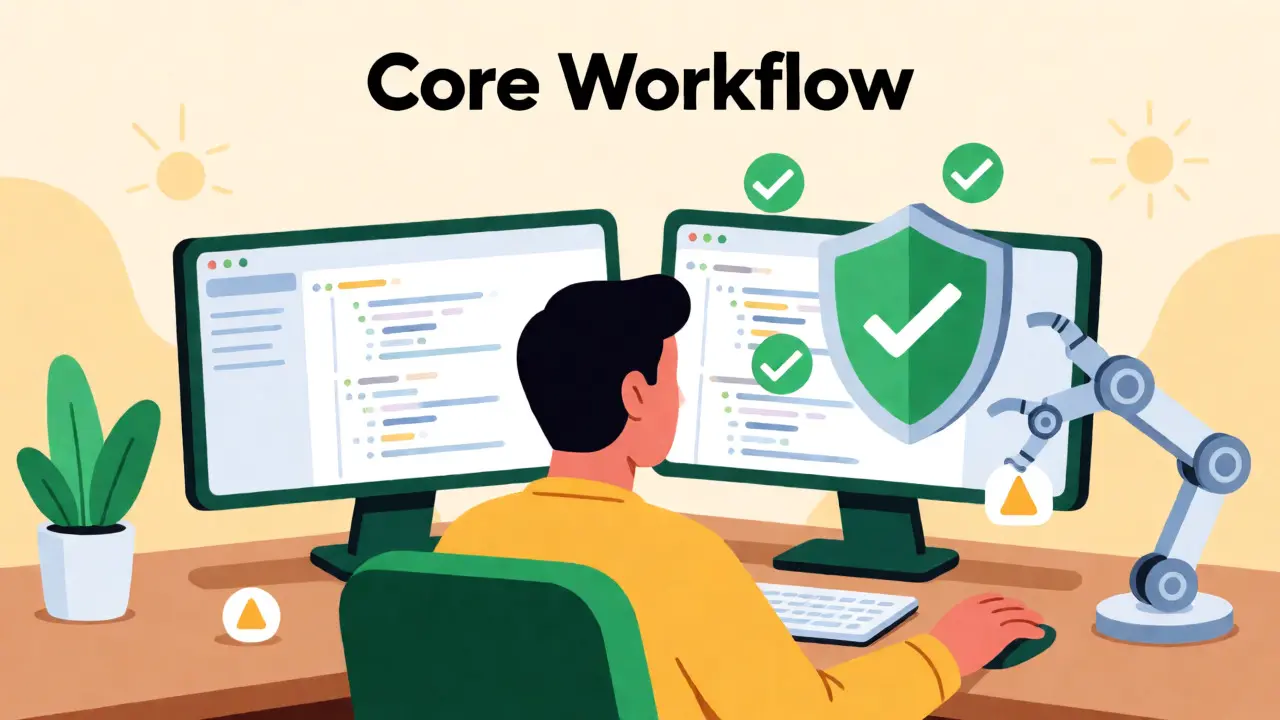
So, how do you actually implement this? You don’t just hope the AI gets it right. You connect your coding environment to automated validation tools. The leading example here is the integration between GitHub Copilot and the axe MCP Server.
Here’s the practical setup:
- Environment Setup: Install VS Code extensions for both your AI assistant and the accessibility linter (like axe-core).
- Prompt Engineering: Instead of just asking for "a login form," you prompt: "Create a responsive login form using accessible ARIA patterns and ensure proper label associations."
- Real-Time Feedback: As the AI generates code, the MCP server analyzes the DOM structure in real-time. If it spots missing alt text or poor contrast, it flags it immediately.
- Auto-Remediation: Some advanced setups allow the AI to rewrite its own code based on these flags. You might see a prompt like:
#analyze http://localhost:3033/example-page for accessibility issues, #remediate any violations, and reanalyze to verify fixes.
This loop reduces the cognitive load on the developer. You aren’t memorizing every WCAG criterion; you’re supervising an automated process that enforces them.
Design Patterns That Meet WCAG by Default
Compliance isn’t magic. It relies on specific, proven design patterns. The ARIA Authoring Practices Guide (APG), maintained by the W3C Web Accessibility Initiative, is your bible here. As of late 2024, it offers 47 distinct patterns. If your AI follows these, you’re halfway there.
Take color contrast, for instance. WCAG 2.2 Success Criterion 1.4.3 mandates a minimum ratio of 4.5:1 for normal text and 3:1 for large text. In a vibe coding workflow, you configure your theme system (like Flutter’s ThemeData or Tailwind’s config) to automatically calculate and enforce these ratios. If you pick a brand blue that fails contrast against white, the tool warns you before you even commit the code.
Text scalability is another critical area. WCAG 1.4.10 requires that content remain readable when users zoom in up to 200%. This means paragraph spacing must scale to at least 2 times the font size, and line height should be 1.5 times the font size. Hardcoding pixel values breaks this. Using relative units (em, rem) within your component templates ensures that when a user increases their browser settings, your layout adapts gracefully rather than breaking.
Platform-Specific Nuances: Flutter and Web
Not all platforms handle accessibility the same way. If you’re building mobile apps with Flutter, standard HTML rules don’t apply. You need to use the Semantics widget explicitly.
For example, marking a title correctly requires setting header: true in the Semantics properties. Conversely, decorative elements need excludeSemantics: true to prevent screen readers from reading out meaningless icons. An AI trained primarily on web data might miss these platform-specific nuances unless specifically prompted or fine-tuned with mobile documentation.
On the web, keyboard navigation is the biggest hurdle. WCAG requires operability via keyboard, but it doesn’t specify exact keystrokes for complex widgets like tabs or menus. The APG fills this gap by defining interaction models-such as using arrow keys to navigate tab panels. Your vibe coding prompts should reference these specific interaction models to ensure the generated JavaScript handles keydown events correctly.
The Human Element: Where Automation Falls Short
Is vibe coding a silver bullet? Absolutely not. Automated tools catch about 35-40% of WCAG issues. Human testers identify 65-70%. There’s a massive gap in context that machines still struggle with.
Consider link text. An automated tool can tell you that a link exists. It cannot tell you that "Click Here" is terrible for a screen reader user who hears a list of links and has no idea where they lead. Descriptive text like "Download Annual Report" is required, but AI often defaults to generic labels unless explicitly instructed otherwise.
Léonie Watson, Director of TetraLogical, warned in a November 2024 presentation that over-reliance on automated fixes risks creating interfaces that are technically compliant but practically unusable. She cited examples where auto-fixers adjusted color contrast to meet the 4.5:1 ratio but resulted in visually jarring combinations that confused users with low vision. The numbers were right; the experience was wrong.
This is why human oversight remains non-negotiable. You need real people, ideally those with disabilities, to test the output. Vibe coding handles the mechanical errors-the missing labels, the bad contrasts, the broken focus orders. Humans handle the nuance-the tone, the clarity, the logical flow.
Market Adoption and Regulatory Pressure
If you think this is just a nice-to-have, look at the regulations. The EU’s European Accessibility Act sets a deadline for public sector websites to achieve WCAG 2.1 AA compliance. In the US, Section 508 refresh requirements continue to tighten. These aren’t suggestions; they’re legal mandates.
The market is responding. Grand View Research values the global digital accessibility market at $2.17 billion in 2024, projecting growth to $4.38 billion by 2029. AI-powered tools are the fastest-growing segment, expanding at a 32.7% CAGR. Major players are integrating these capabilities rapidly. JetBrains added WCAG pattern suggestions to IntelliJ IDEA 2024.3, and GitHub introduced accessibility-aware code generation in late 2024.
For enterprises, the ROI is clear. Deque’s case studies show a 4.3x return on investment due to reduced post-deployment remediation costs. When you fix accessibility during generation, you avoid the expensive cycle of auditing, reporting, scheduling sprints, and re-testing after launch.
Getting Started: Skills and Resources
You don’t need to become an accessibility expert overnight, but you do need some baseline knowledge. Deque’s training programs suggest developers require 12-15 hours of dedicated learning to become proficient in vibe coding workflows. Focus on understanding the difference between HTML semantics and ARIA attributes. Knowing when to use a native <button> versus a role="button" div is crucial.
Here are three resources to kickstart your journey:
- W3C APG Pattern Library: Study the top 10 most common components (tabs, accordions, modals) and how they handle keyboard focus.
- Deque University’s 'AI and Accessibility' Course: Launched in October 2024, this covers the specific intersection of LLMs and compliance.
- Google’s Accessible Component Patterns: A GitHub repository with over 4,200 stars, offering code snippets that you can feed into your AI prompts as examples.
Start small. Pick one component library in your project. Refactor it using vibe coding principles. Measure the reduction in accessibility bugs. Once you see the time savings, expand to new feature development.
What is the main benefit of Accessibility-Inclusive Vibe Coding?
The primary benefit is shifting accessibility left in the development lifecycle. By integrating validation tools like axe MCP Server with AI assistants, developers catch and fix WCAG violations during code generation rather than during post-development audits. This reduces remediation time from hours to minutes and prevents technical debt from accumulating.
Can AI fully replace manual accessibility testing?
No. Automated tools and AI can catch approximately 35-40% of WCAG issues, such as missing alt text or poor color contrast. However, they struggle with contextual issues like meaningful link text, logical reading order, and overall usability. Human testing, especially involving users with disabilities, remains essential for comprehensive coverage.
Which WCAG version should I target with vibe coding?
As of 2026, targeting WCAG 2.2 AA is the standard best practice. WCAG 2.2 introduced nine new success criteria focusing on mobile accessibility and cognitive disabilities, such as minimum target sizes and dragging alternatives. Ensure your AI prompts and validation tools are updated to support these newer criteria.
How do I handle accessibility in Flutter with vibe coding?
In Flutter, you must explicitly use the Semantics widget. Prompt your AI to include parameters like 'header: true' for titles and 'excludeSemantics: true' for decorative elements. Unlike web HTML, Flutter does not infer accessibility from visual structure alone, so explicit semantic labeling is required for screen reader compatibility.
What are common pitfalls when using AI for accessibility?
Common pitfalls include false positives from automated linters, incorrect semantic structures for complex custom components, and over-reliance on auto-fixed color contrasts that may look visually jarring. Developers often report difficulties with complex patterns like accessible data grids, requiring manual intervention despite AI assistance.
Meagan Mueller
September 2, 2026 AT 04:36they just want us to buy more tools
the ai is already broken and now we gotta babysit it with a linter
its all a conspiracy by the big tech corps to keep developers employed doing busywork instead of shipping product
Dave Gibbeson
September 2, 2026 AT 18:45You are missing the forest for the trees here. This isn't about busywork; it's about preventing catastrophic legal liability.
The EU Accessibility Act is not a suggestion, it is law. If you ignore WCAG patterns in your AI prompts, you are essentially writing technical debt that compounds at an exponential rate.
I have seen teams lose weeks on remediation because they skipped the initial semantic check.
Vibe coding with strict validation loops is the only way to scale without burning out your QA team.
Stop looking for conspiracies and start integrating axe-core into your CI pipeline today.
Kim Edwards
September 2, 2026 AT 19:48OH MY GOD THE HORROR 😱
I tried prompting Copilot for a modal yesterday and it gave me a div soup so chaotic I nearly cried blood.
It was like watching a car crash in slow motion but with CSS classes.
No focus traps! No ARIA roles! Just pure unadulterated chaos!
I spent three hours manually fixing what should have taken thirty seconds if I had just used the APG patterns from the start.
My soul left my body when I realized the screen reader read the entire background image description as the button label.
We are doomed unless we embrace the vibe coding workflow immediately!
Sabrina Newland
September 4, 2026 AT 11:12hmm 🤔 i wonder if this changes how we think about 'code' itself? 🧠
if the ai writes the structure and the validator checks the meaning, where does the human creativity go?
are we becoming editors rather than authors? ✍️
and does accessibility constrain creativity or liberate it by forcing clarity? 💡
i feel like there is a deeper philosophical shift happening here about who owns the intent behind the interface... 🌌
Amara Akbar
September 6, 2026 AT 05:54Dear colleagues,
While the sentiment regarding the necessity of these workflows is well-taken, one must consider the pedagogical implications for junior developers.
If we automate the enforcement of WCAG standards via MCP servers, do we risk stunting the growth of their intuitive understanding of semantics?
It is crucial that we maintain a balance between efficiency and education.
Perhaps we should require manual audits for the first six months of employment before granting access to auto-remediation tools.
This ensures that the foundational knowledge remains intact while still leveraging the speed benefits of AI assistance.
Mark Harvey
September 8, 2026 AT 05:45love the energy here guys
just remember its okay to make mistakes with ai
the key is learning from the linting errors not fearing them
keep building and keep testing
we got this
Courtney Wagstaff
September 10, 2026 AT 01:33okay but can we talk about how satisfying it is when the contrast checker finally gives you that green checkmark? 🟢
it feels like unlocking a secret level in a video game.
i started using those specific prompt templates mentioned in the article and my anxiety levels dropped by like 80%.
no more staring at hex codes wondering if #7F7F7F is readable enough for grandmas.
the vibe is definitely shifting from panic to precision.
also shoutout to whoever coined the term 'vibe coding' because it perfectly captures that flow state where you're just guiding the machine instead of wrestling it.
it’s colorful, it’s creative, and honestly, it’s kind of freeing once you let go of the need to write every single tag yourself.
Elisabeth Ballet
September 11, 2026 AT 17:53LISTEN UP.
You are all overcomplicating this.
Accessibility is not optional. It is not a nice-to-have feature. It is the baseline.
If your AI cannot generate accessible code by default, your AI is garbage.
Fix your prompts. Fix your environment. Stop making excuses.
The market is moving fast and you will be left behind if you don't adapt NOW.
Get up, get compliant, and get back to work.