Latency vs Throughput: Balancing LLM Production Deployments
 Sep, 18 2026
You’ve just deployed your Large Language Model. The demo looked great on a laptop. But the moment you open the floodgates to real users, things get weird. Some requests hang for three seconds while others fly through in milliseconds. Your GPU is screaming at 100% utilization, yet your average response time is climbing. This isn’t a bug; it’s physics. Or rather, it’s the fundamental tension between latency and throughput. In production environments, you can rarely maximize both simultaneously without burning cash or breaking user trust.
Understanding this tradeoff is the difference between a profitable AI product and a money pit. If you optimize purely for speed, your server costs explode because you’re paying for idle capacity. If you optimize purely for volume, your users leave because they hate waiting. This guide breaks down how to navigate these waters using current best practices, specific hardware benchmarks, and proven software strategies like those found in vLLM and Hugging Face TGI.
The Core Conflict: Speed vs. Volume
Let’s define the terms so we’re all on the same page. Latency is the time it takes for a single request to complete. Think of it as the wait time at a coffee shop counter. Throughput is the number of requests your system processes per second. That’s how many cups of coffee the barista makes in an hour.
In traditional web apps, you might handle thousands of tiny JSON responses quickly. LLMs are different. They are compute-heavy. Generating tokens (the pieces of words) requires sequential processing. You can’t generate token #50 before token #49. This creates a bottleneck. To boost throughput, engineers use batching-grouping multiple user requests together to process them in parallel on the GPU. But here’s the catch: if you wait too long to collect a batch, the first user in that group waits unnecessarily. If you send batches out immediately, you waste GPU cycles because the batch size is small and inefficient.
A study by Databricks in 2024 highlighted this starkly. On a single NVIDIA A100 GPU, increasing the batch size from 1 to 64 increased throughput by 14x. Sounds great, right? Except latency quadrupled. For a chatbot, a 4x increase in wait time often means users abandon the session. For a background document summarizer, who cares? The context dictates the strategy.
Hardware Realities: GPUs and Memory Walls
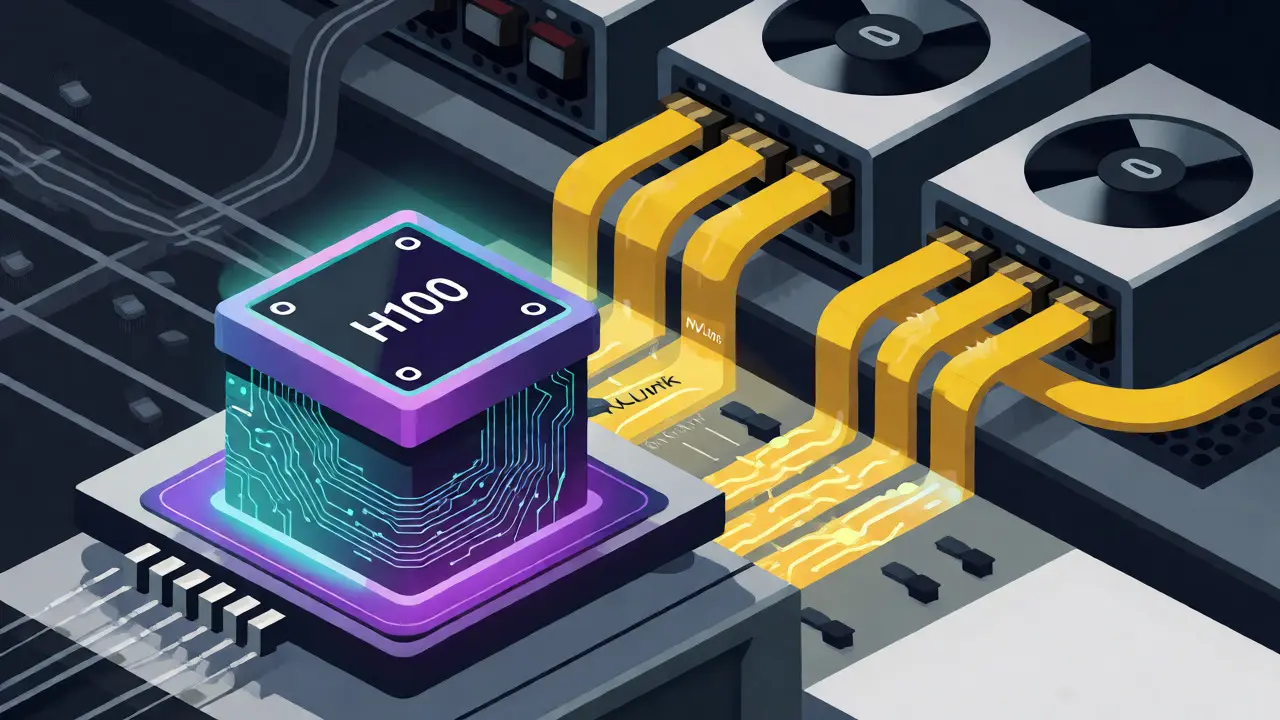
Your choice of hardware sets the ceiling for what’s possible. Not all GPUs are created equal when it comes to balancing these metrics. The industry standard has shifted toward NVIDIA’s H100 architecture, which offers significant advantages over the older A100. Benchmarks show that H100s reduce per-token computation time by 35-45% for equivalent models. Why does this matter? It gives you more headroom. With faster compute, you can afford larger batches without letting latency spike into unacceptable territory.
Memory bandwidth is another critical factor. LLMs are memory-bound during inference. Reading weights from VRAM to the compute cores takes time. High-speed interconnects like NVLink help mitigate this in multi-GPU setups, reducing communication overhead by 20-30%. Without NVLink, distributed inference can actually hurt latency. Wallaroo.ai’s 2024 analysis noted that network synchronization in cloud environments can add 20-35% latency overhead. So, if you’re building a real-time app, throwing more GPUs at the problem via slow Ethernet links might make things worse, not better.
Software Optimization: The Rise of PagedAttention
Hardware alone won’t solve the problem. You need smart software. Enter PagedAttention, a mechanism pioneered by vLLM. Traditional systems allocate contiguous memory blocks for each sequence. This leads to fragmentation and wasted space. PagedAttention borrows a concept from operating systems: virtual memory paging. It allows non-contiguous storage of key-value caches, dramatically improving memory utilization.
The results are tangible. An arXiv comparative study in 2025 found that vLLM achieved up to 24x higher throughput than Hugging Face’s Text Generation Inference (TGI) under high-concurrency workloads. However, TGI maintained 15-20% better tail latencies for single-user scenarios. This tells us something important: there is no "best" tool, only the right tool for your traffic pattern.
| Metric | vLLM (PagedAttention) | Hugging Face TGI | Standard HF Transformers |
|---|---|---|---|
| Throughput Gain | Up to 24x vs baseline | ~10-15x vs baseline | Baseline (1x) |
| Tail Latency | Higher variance under load | Lower variance (better for interactive) | Poor |
| Memory Efficiency | High (non-contiguous KV cache) | Moderate | Low (fragmentation issues) |
| Best Use Case | High-volume API services | Interactive chatbots | Prototyping/Low volume |
Application-Specific Thresholds
You cannot set a global latency target. A fintech chatbot needs different rules than a legal document analyzer. Gartner’s 2025 report indicates that 68% of enterprises now prioritize latency SLAs for customer-facing apps, while 82% of data-intensive workflows chase throughput. Here is a practical breakdown of acceptable thresholds based on application type:
- Real-Time Conversational Interfaces: Target sub-500ms total latency. Time-to-first-token (TTFT) should be under 300ms. Users perceive delays longer than this as "laggy." Vector search contributes 50-150ms, embedding generation adds 20-50ms, leaving little room for error.
- Interactive Web Applications: Acceptable range is 500ms to 2s. Users tolerate some delay if the interface provides feedback (like a typing indicator). Batch sizes can be moderately aggressive here.
- Batch Processing & Analytics: Anything above 2s is fine. Optimize strictly for throughput. Use large batch sizes (64+) and ignore individual request latency spikes.
Dr. Sarah Chen, an infrastructure engineer at Anthropic, notes that for their chatbots, they prioritize TTFT below 300ms even if it costs 20% lower throughput. Conversely, for document pipelines, tokens-per-second is king. Know which bucket your app falls into before tuning your servers.
Dynamic Batching: The Middle Ground
Static batching (waiting for X requests) is rigid. Dynamic batching adapts to real-time conditions. Modern inference servers like vLLM’s 0.4.0 release implement adaptive batching. They monitor queue length and latency targets continuously. If the queue backs up, they increase batch size to clear the backlog. If the system is idle, they send smaller batches immediately to keep latency low.
This approach maintains the 95th percentile latency below 1 second while achieving 85% of maximum possible throughput. It’s a delicate dance. One case study from a fintech startup showed that improper static batching caused response times to exceed 2 seconds during peak hours, dropping user engagement by 37%. Switching to dynamic batching with hard latency constraints solved the issue.
How do you configure this? Start with `max_num_seqs` settings between 4 and 16 depending on your GPU memory. Monitor two key metrics:
- Time-to-First-Token (TTFT): Alert if this rises steadily.
- Tokens-Per-Second (TPS): Alert if this falls under steady load.

The Cost Implication
Let’s talk money. Operational costs for LLM inference can range from $0.0001 to $0.001 per token. Small differences compound quickly. An optimized deployment using techniques like microbatching can reduce input processing latency by 40-60% for short sequences. Forrester predicts that by 2027, organizations failing to balance these metrics will face 40-60% higher operational costs than optimized peers.
Consider the Qwen 2.5 7B model example documented by Hathora Blog. At batch size=1, latency was 976ms. At batch size=8, latency dropped to 126ms. Wait, that seems counterintuitive? Usually, bigger batches mean slower individual responses. But in this specific configuration, efficient kernel usage outweighed the queuing delay. This highlights why benchmarking on your specific model and hardware stack is non-negotiable. Generic advice fails when you hit specific architectural nuances.
Common Pitfalls and How to Avoid Them
Engineers often fall into traps when optimizing. First, ignoring the "tail." Average latency hides problems. If 95% of requests take 200ms but 5% take 5 seconds, your users notice the bad ones. Always monitor p95 and p99 latency, not just averages.
Second, over-provisioning for peak load. Running a cluster sized for Black Friday traffic every day wastes money. Use auto-scaling groups that react to queue depth, not just CPU/GPU utilization. Third, neglecting tokenizer performance. Tokenization happens before inference. Slow tokenizers add 150-200ms to the clock. Using fast tokenizers (like Hugging Face’s Rust-based implementations) cuts this to 50-80ms. It’s free speed.
Finally, don’t forget the network. If you’re serving embeddings from a vector database, that round trip counts. Keep your vector store close to your inference engine geographically. Colocation matters.
What is the ideal batch size for a chatbot?
There is no single ideal number. For most chatbots, start with a batch size of 1-4 and use dynamic batching. Monitor Time-to-First-Token (TTFT). If TTFT stays under 300ms, try increasing the max batch size incrementally until you see degradation. Most production chatbots find a sweet spot between 4 and 16 concurrent sequences depending on GPU memory.
Does using multiple GPUs always improve latency?
No. While multiple GPUs increase throughput and allow larger models, they introduce network overhead. Distributed inference can increase latency by 20-35% due to synchronization requirements. For real-time applications requiring sub-second responses, a single powerful GPU (like an H100) is often faster than a cluster of weaker GPUs connected via standard networking.
Why is my throughput high but latency spiky?
This usually indicates head-of-line blocking or memory fragmentation. When large batches are formed, a long-running request can block shorter ones behind it. Additionally, if your memory allocator isn't efficient (like in standard Transformers), fragmentation causes pauses for garbage collection. Switching to engines with PagedAttention (like vLLM) typically resolves spiky latency patterns caused by memory management.
How does model size affect the latency-throughput tradeoff?
Larger models require more memory and compute per token. This reduces the maximum batch size you can fit on a GPU, limiting throughput potential. However, larger models also have higher latency per token. Smaller models (e.g., 7B parameters) allow for much larger batch sizes, enabling higher throughput with manageable latency. Quantization (reducing precision from FP16 to INT8) can alleviate this by shrinking memory footprint, allowing larger batches.
Should I optimize for average latency or tail latency?
For user-facing applications, optimize for tail latency (p95 or p99). Users remember the worst experiences. A system with an average latency of 200ms but occasional 5-second stalls feels unreliable. For batch jobs, average latency matters less; focus on total completion time (throughput).
Quintin Franzese
September 19, 2026 AT 11:32oh great another article telling me to use vllm because i obviously didn't read the docs
i'm sure my gpu is just screaming out of spite and not because i'm trying to run a 70b model on consumer hardware with no quantization. thanks for the reminder that physics exists.
Tamara Miller
September 20, 2026 AT 08:32This is exactly what I have been saying for YEARS!!
People really think they can just slap an LLM on a server and call it a day?? It’s not magic, it’s engineering!!
The part about memory bandwidth being critical is so underrated... like, seriously, why do people ignore NVLink?? It’s right there in the benchmarks!!
And don’t even get me started on people who optimize for average latency instead of p95... that’s just lazy thinking!! If your user waits 5 seconds once every 20 requests, they’re going to churn!! Period.
I feel like half these startups are burning cash because they don’t understand basic batching dynamics... it’s painful to watch!!
Anthony Miller
September 21, 2026 AT 22:20Your analysis lacks depth regarding specific hardware constraints. The mention of H100 advantages is superficial at best. Real production environments require rigorous profiling of kernel launch overheads which you completely ignored. Furthermore the assertion that dynamic batching solves all issues is naive without addressing the cold start penalties inherent in such systems. You fail to account for the network topology costs in multi-node setups which can negate any theoretical throughput gains from larger batches. This guide reads like marketing material rather than technical documentation. The lack of concrete failure modes for PagedAttention under extreme concurrency is glaring. One must consider the fragmentation risks when sequences vary wildly in length. Without this nuance the advice remains generic and potentially misleading for senior engineers. The cost implications section is particularly weak given the volatility of cloud GPU pricing. A more robust discussion would include reserved instance strategies versus spot instances for batch workloads. Your reliance on Databricks data ignores proprietary optimizations found in other stacks. The comparison to TGI is outdated given recent releases. Overall this piece serves only as a surface level overview for juniors.
Zach Loescher
September 22, 2026 AT 19:06I think there's a middle ground here that gets overlooked sometimes. While the tradeoff is real, I've found that hybrid approaches using speculative decoding can actually decouple latency from throughput somewhat. It doesn't solve the memory wall issue but it does help with TTFT significantly which aligns with the chatbot use case mentioned. Also worth noting that prompt caching changes the math entirely for repeated queries so the static vs dynamic batching debate might be less relevant if your workload has high cache hit rates. Just sharing some thoughts from my own experiments with similar setups.
Savara Gunn
September 23, 2026 AT 16:00Hey everyone! Just wanted to add that finding the sweet spot takes patience so don't stress too much if your first few configs aren't perfect. It's totally normal to iterate a lot before things click. Hang in there!
Susan Cole
September 24, 2026 AT 00:23I appreciate the focus on tail latency. That distinction saved us during our last migration. We were obsessed with averages until we saw the p99 spikes.