Caching for AI Web Apps: A Practical Guide to Speed and Cost Savings
 Jul, 11 2026
Imagine your users waiting four seconds for a simple answer from your chatbot. In the world of instant gratification, that feels like an eternity. More importantly, every second of delay costs you money in compute resources. If you are building web applications powered by Artificial Intelligence, you have likely hit a wall where speed and budget clash. The solution isn't just better hardware; it is smarter data management. Specifically, it is about implementing effective caching strategies for AI-generated content.
Caching is not new to web development, but applying it to Large Language Models (LLMs) requires a different mindset. You cannot simply store HTML pages anymore. You need to store context, vectors, and generated responses. This guide breaks down exactly where to start, which technologies to use, and how to avoid common pitfalls that lead to stale or inaccurate answers.
The Problem with Raw AI Inference
Before we fix the problem, let's look at why it exists. When a user asks a question, your application sends that prompt to a foundation model like GPT-4 or Claude. The model processes billions of parameters to generate a response. This process is computationally expensive and slow. According to industry benchmarks, raw inference can take between 3 to 5 seconds for a moderate-length response. At scale, this latency kills user engagement. It also burns through your API budget quickly, with costs adding up per token processed.
Traditional web caching solves this by storing static assets. But AI outputs are dynamic. Two slightly different questions might require the same underlying reasoning but produce different wordings. This is why standard HTTP caching often fails for AI apps. You need a strategy that understands meaning, not just exact string matches.
Understanding Caching Strategies for AI
Not all caching is created equal. For AI applications, you generally encounter three main approaches, each with distinct trade-offs in complexity and effectiveness.
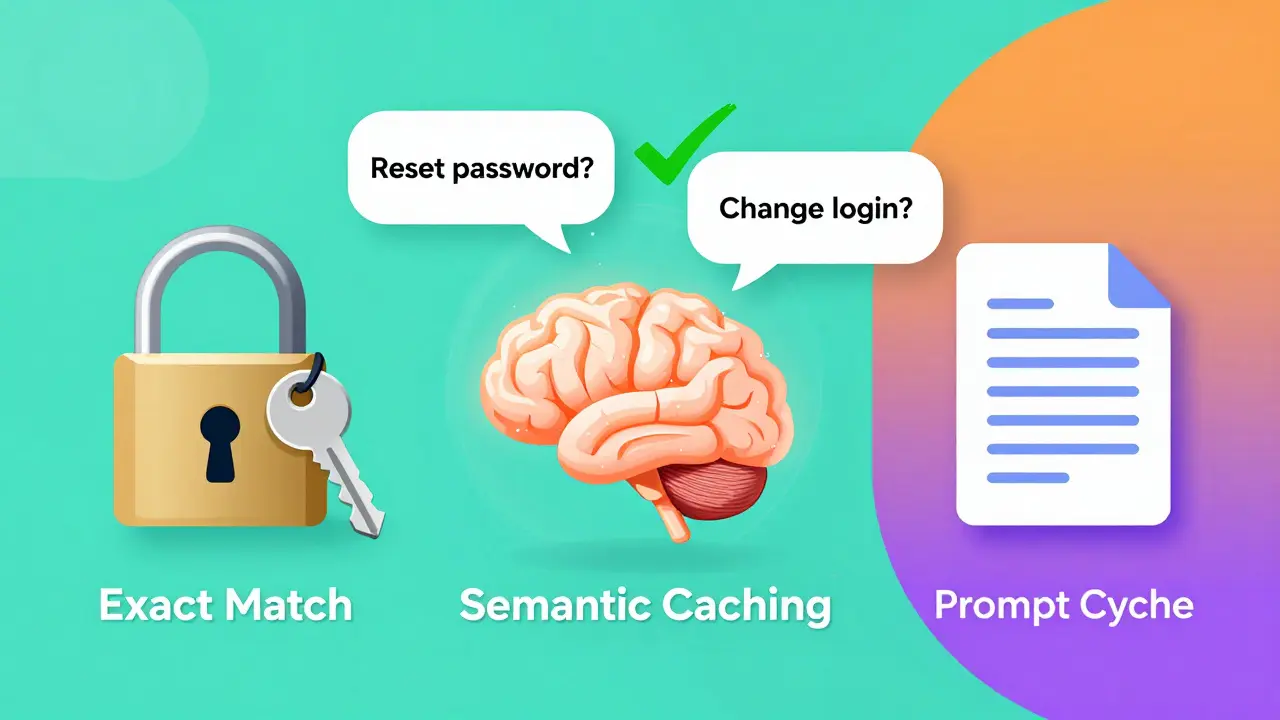
- Exact-Match Caching: This stores the response only if the incoming prompt is identical to a previous one. It is simple to implement using tools like Redis. However, it has a low hit rate because users rarely type the exact same sentence twice. Studies show miss rates can exceed 60% in natural language interactions.
- Semantic Caching: This is the game-changer. Instead of matching text, it matches meaning. Your system converts the user's query into a vector embedding. It then searches a database for similar past queries. If a close match is found, it returns the cached response. This handles paraphrasing well. If a user asks "How do I reset my password?" and later "Can you help me change my login details?", semantic caching recognizes them as the same intent.
- Prompt Caching: Some providers offer built-in prompt caching. This caches the initial processing of long context windows. If you send the same large document to an LLM repeatedly, the provider caches the encoding step. This reduces latency significantly for RAG (Retrieval-Augmented Generation) systems but doesn't cache the final answer itself.
For most developers starting out, semantic caching offers the best balance of cost savings and user experience improvement.
Choosing the Right Technology Stack
Your choice of caching infrastructure depends heavily on your specific needs. Here is how the top contenders compare in real-world scenarios.
| Technology | Best Use Case | Key Feature | Learning Curve |
|---|---|---|---|
| Redis | General purpose, exact-match, and hybrid caching | In-memory speed, vast ecosystem | Low to Moderate |
| Amazon MemoryDB | Semantic caching with vector search | Native vector similarity search, Multi-AZ durability | Moderate |
| Pinecone | Dedicated vector databases for high-scale semantic search | Fully managed, scalable vector operations | Low |
| Memcached | Simple distributed caching | Lightweight, fast | Low |
If you are already using AWS, Amazon MemoryDB is a strong candidate because it integrates seamlessly with services like Amazon Bedrock. It supports vector natively, meaning you don't need to bolt on a separate vector database. For teams that prefer open-source flexibility, Redis remains the industry standard. With extensions like RediSearch, it can handle vector similarity queries effectively. The key is to ensure your deployment has enough memory-start with at least 4GB RAM for small projects and scale up based on traffic.
Implementing Semantic Caching: A Step-by-Step Guide
Let's walk through the logic of setting up a semantic cache. This approach typically follows a six-step flow that balances speed with accuracy.
- Receive Query: The user submits a prompt to your application.
- Generate Embedding: Before sending the query to the LLM, pass it through an embedding model (like OpenAI's text-embedding-3-small). This converts text into a numerical vector.
- Cache Lookup: Send this vector to your caching layer (e.g., MemoryDB or Redis). Ask it to find the most similar stored vectors within a defined threshold (e.g., cosine similarity > 0.95).
- Handle Cache Hit: If a highly similar query exists, retrieve the cached response immediately. Return it to the user. This step takes milliseconds instead of seconds.
- Handle Cache Miss: If no close match is found, proceed with the normal workflow. Send the original query to the LLM and your knowledge base if using RAG.
- Store Result: Once the LLM generates the answer, save both the new query vector and the response in your cache for future use.
This pattern, often referred to as Cache-Augmented Generation (CAG), ensures you only pay for computation when necessary. It also dramatically cuts down latency for repetitive questions, which make up a significant portion of enterprise app usage.
Managing Staleness and Invalidation
The biggest risk with caching is serving outdated information. If your AI app provides stock prices or news, a cached response from yesterday is worse than useless-it is misleading. You must implement robust invalidation strategies.
Time-To-Live (TTL) is your first line of defense. Set short TTLs for volatile data. For example, financial data might need a 15-minute TTL, while product descriptions could safely sit in cache for 24 hours. InnovationM's engineering team found through A/B testing that mixing TTLs based on data type optimized their system perfectly. Static knowledge gets long life; dynamic facts get short life.
Another strategy is staleness-aware retrieval. When performing a semantic lookup, check the timestamp of the cached entry alongside its similarity score. If the match is semantically perfect but too old, treat it as a miss and regenerate the response. This prevents "semantic drift," where cached answers slowly become mismatched with evolving user intents or updated business rules.

Performance Benchmarks and Expectations
What kind of improvements can you realistically expect? Based on recent case studies and technical reports, here are some concrete metrics:
- Latency Reduction: Well-implemented semantic caching can reduce average response times from over 3 seconds to under 500 milliseconds for repeated or similar queries.
- Cost Savings: By achieving a 60-70% cache hit rate, companies report reducing their LLM API costs by 50-70%. This is because you are bypassing the expensive generation step entirely for cached hits.
- User Satisfaction: Faster responses directly correlate with higher satisfaction scores. One enterprise client saw their user satisfaction rating jump from 3.2 to 4.7 out of 5 after implementing prompt and semantic caching.
However, keep in mind that semantic caching adds a small overhead. Generating embeddings and running vector searches takes time-usually around 100-150ms. If your cache miss rate is extremely high, this overhead might negate some benefits. Monitor your hit rates closely. Aim for at least 40-50% to see meaningful gains.
Common Pitfalls to Avoid
Even experienced engineers stumble on these issues. Learn from their mistakes.
Ignoring Context Window Limits: Don't try to cache everything. Large contexts consume more memory and increase embedding costs. Be selective. Cache frequent, high-value queries rather than every single interaction.
Poor Similarity Thresholds: Setting the similarity threshold too low leads to incorrect answers being served. If a user asks about "Apple" the fruit and another asks about "Apple" the company, a loose threshold might return the wrong cached response. Test your thresholds rigorously with diverse datasets.
Neglecting Monitoring: Caching is invisible until it breaks. Implement logging to track hit rates, miss rates, and latency distributions. Tools like Prometheus and Grafana can help visualize these metrics in real-time. Without visibility, you won't know if your cache is actually helping or hurting.
Future Trends in AI Caching
The landscape is evolving rapidly. We are moving towards hybrid caching architectures that combine exact-match, semantic, and federated techniques. New features like adaptive eviction policies use machine learning to predict which items should stay in memory, improving hit rates automatically. Additionally, regulatory frameworks like the EU AI Act are pushing for transparency in cached responses, requiring apps to disclose when they are serving pre-generated content. Stay ahead by designing your caching layer to be modular and compliant from day one.
Is semantic caching worth the extra complexity?
Yes, for most production AI applications. While it requires more setup than simple key-value caching, the reduction in latency and API costs is substantial. If your app handles repetitive queries, such as customer support bots or internal knowledge bases, semantic caching pays for itself quickly.
How do I prevent serving outdated information?
Use Time-To-Live (TTL) settings tailored to your data type. For static content, longer TTLs are fine. For dynamic data like news or prices, use short TTLs or implement staleness checks that invalidate old entries before returning them.
Which tool is better: Redis or Amazon MemoryDB?
It depends on your infrastructure. If you are heavily invested in AWS, MemoryDB offers seamless integration and native vector search. Redis is more versatile, open-source, and widely supported across different cloud providers. Both are excellent choices for semantic caching.
What is a good cache hit rate target?
Aim for at least 40-50% to see significant cost and latency benefits. Higher hit rates (60-70%) are ideal for maximizing efficiency. If your hit rate is below 20%, you may need to adjust your similarity thresholds or focus on caching more frequent queries.
Does caching work with Retrieval-Augmented Generation (RAG)?
Absolutely. In fact, combining caching with RAG is powerful. You can cache the retrieved documents along with the final answer. This is known as Cache-Augmented Generation (CAG) and helps reduce both retrieval and generation costs.