Enterprise-Grade RAG Architectures: A Practical Guide for LLMs
 Oct, 26 2026
You’ve probably heard the hype about Retrieval-Augmented Generation (RAG) being the silver bullet for corporate AI. But here’s the uncomfortable truth: most RAG implementations fail in production not because the model is bad, but because the architecture is fragile. If you’re running a basic setup, you might be seeing hallucinations, slow responses, or security leaks that would make your compliance officer cry.
It’s not enough to just plug a document store into an LLM. Enterprise-grade RAG requires a robust system design that handles scale, privacy, and accuracy simultaneously. Organizations that get this right see 3-4x better accuracy and cut costs by up to 60%. Let’s break down how to build a system that actually works when thousands of employees are asking questions at once.
Why Basic RAG Breaks in Production
When you first try RAG, it feels like magic. You upload a PDF, ask a question, and get a good answer. Then you throw real data at it-messy spreadsheets, conflicting policy documents, and thousands of concurrent users-and the magic evaporates. The core problem is that simple RAG pipelines treat all data as equal chunks of text. They don’t respect structure, they don’t filter by user permissions, and they often retrieve irrelevant noise that confuses the language model.
For example, if a junior employee asks about executive compensation, a basic system might pull from public blogs instead of the restricted HR database. Or worse, it might miss the latest update entirely because the indexing lagged behind. Enterprise architecture solves this by decoupling retrieval from generation and adding layers of intelligence between the user and the raw data.
The Core Components of a Robust Architecture
To fix these issues, you need specific building blocks. Think of them as the organs of your AI body. Each one has a job, and if one fails, the whole system suffers.
- Embedding Pipelines: These convert text into numerical vectors. Modern models like Cohere Embed v3 support over 100 languages in a single model, which saves you from managing separate encoders for different regions.
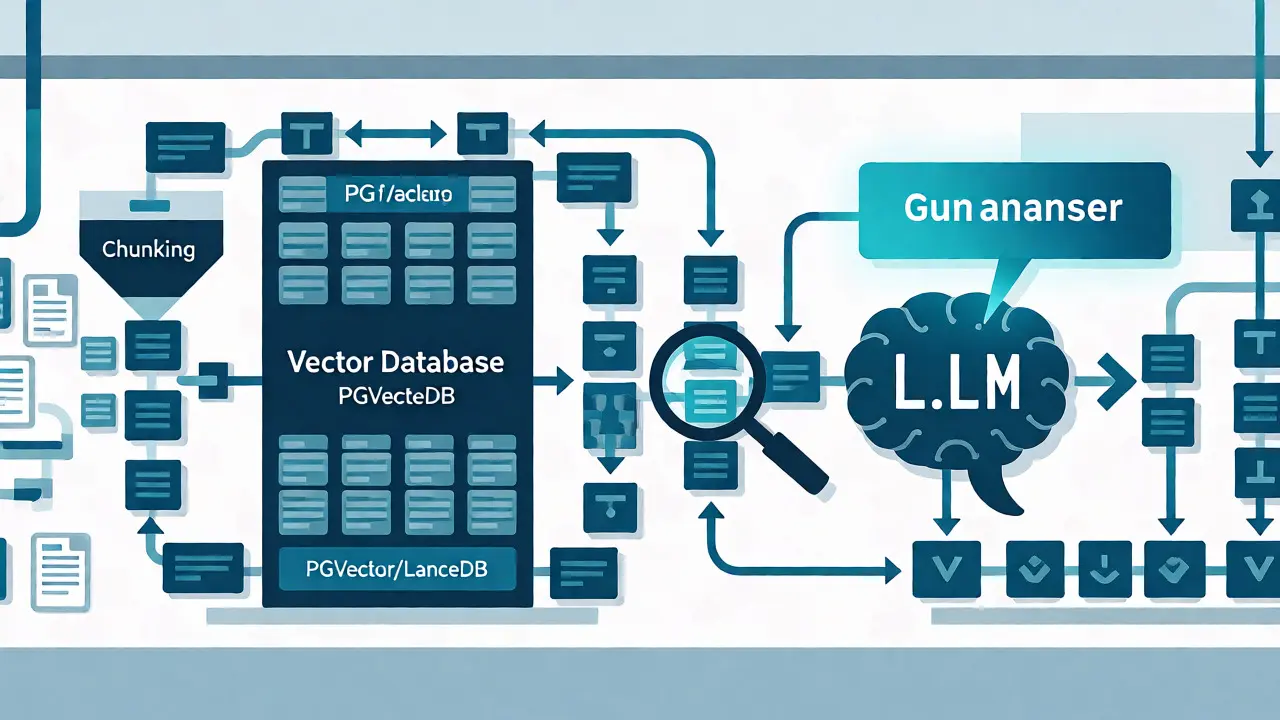
- Vector Databases: This is where your vectors live. You can’t just use a standard SQL database. You need specialized storage like Postgres with PGVector or LanceDB. PGVector is great for small-to-medium scales with high accuracy, while LanceDB shines when you need to handle millions of rows with complex metadata filtering.
- Re-Ranking Models: After retrieving the top 50 documents, you don’t feed them all to the LLM. That’s expensive and noisy. Instead, a re-ranking model scores these candidates again, picking the top 5 most relevant ones. This step alone can significantly boost answer quality.
- Chunking Strategies: How you split documents matters. Fixed-size chunking often cuts sentences in half, breaking context. Better approaches preserve semantic boundaries, keeping tables and headers intact so the LLM understands the structure.
Choosing Your Vector Database Strategy
This is where many teams get stuck. Do you stick with Postgres because your team already knows SQL? Or do you move to a dedicated vector DB? The answer depends on your scale and latency requirements.
| Feature | Postgres + PGVector | LanceDB |
|---|---|---|
| Scalability | Vertical scaling (add more CPU/RAM) | Horizontal scaling (add more nodes) |
| Performance | Handles ~500K embeddings in <2 seconds | Processes 15M+ rows with similar speed |
| Data Privacy | Centralized encryption per instance | Decentralized design, data in cloud buckets |
| Best For | Existing Postgres shops, medium scale | Large-scale analytics, multimodal data |
If you’re under 1 million documents, Postgres is usually fine. It integrates easily with your existing backend. But if you’re dealing with tens of millions of records or need to filter by complex metadata (like "show me only Q3 financial reports accessible by Finance department"), LanceDB’s architecture gives you more flexibility without tying compute resources directly to storage size.
Architectural Patterns: Centralized vs. Federated
Once you have the components, you need to decide how they connect. There are two main patterns for enterprises.
Centralized Architecture uses one big pipeline for everyone. All apps talk to the same retriever and the same LLM layer. This is simple to manage and great if your knowledge base is uniform across the company. However, it can become a bottleneck. If the legal team floods the system with queries, customer support might suffer from slower response times.
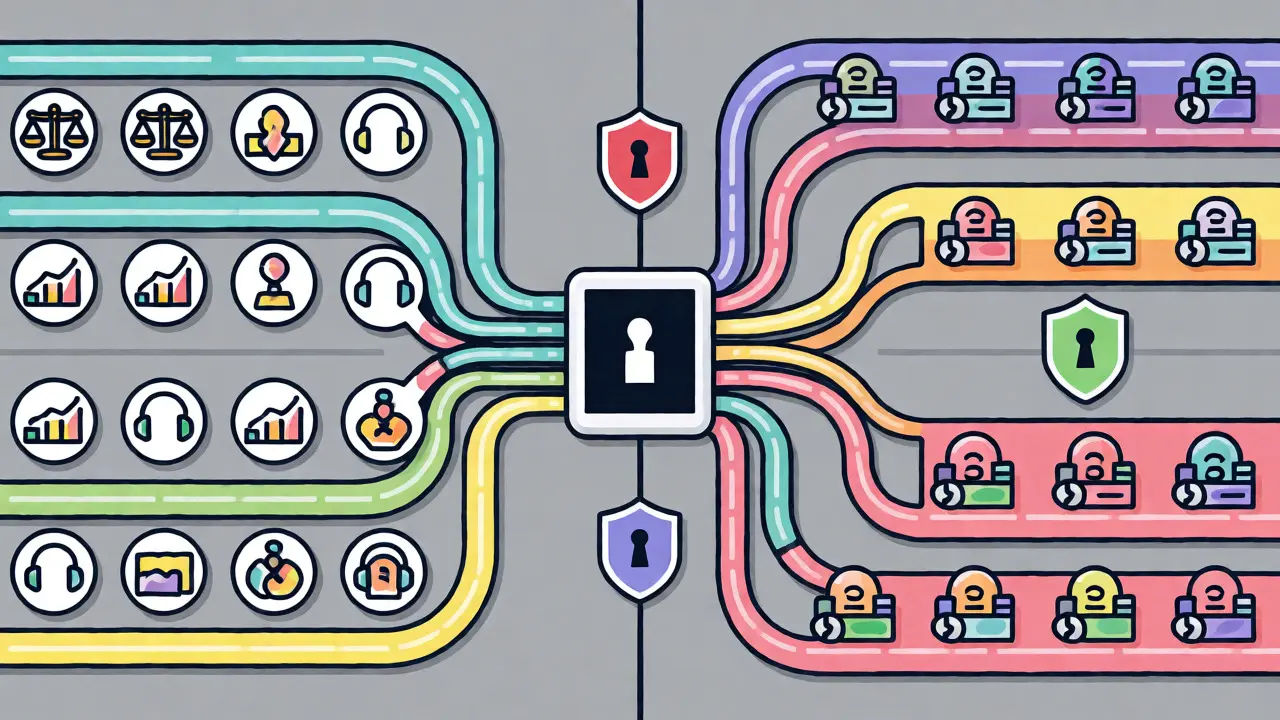
Federated Architecture splits the system by domain. You might have a Legal Retriever, a Support Retriever, and a Sales Retriever, each optimized for their specific data types. These route to a shared LLM layer. This allows for department-level customization. The Legal team can tune their retrieval to prioritize case law citations, while Sales prioritizes product specs. The downside? It’s more complex to maintain. Deployment time jumps from 3-6 months for centralized systems to 6-9 months for federated setups due to the extra configuration work.
Security and Compliance Are Non-Negotiable
In an enterprise setting, accuracy doesn’t matter if you leak sensitive data. Imagine your RAG system telling a new hire what the CEO’s salary is because it pulled from a public blog post instead of the restricted internal memo. To prevent this, you need Role-Based Access Control (RBAC) at the retrieval level.
This means the vector database itself must know who is asking the question. When a user submits a query, the system filters results based on their permissions before the LLM even sees the text. You also need audit trails. Every time the system retrieves a document, log it. Who asked? What was retrieved? Why? This is critical for GDPR and HIPAA compliance. Tools that offer built-in PII masking and air-gapped deployments are worth the extra cost if you’re in healthcare or finance.
Optimizing Cost and Performance
Running LLMs is expensive. Every token you send to the API costs money. A poorly designed RAG system sends too much irrelevant context, wasting tokens. A well-designed one uses techniques like Cascading Models. Start with a lightweight, cheap model for simple queries. Only escalate to a powerful, expensive model if the confidence score is low or the query is complex. This can reduce unnecessary LLM API calls by 60-80%.
Another trick is hybrid search. Don’t rely solely on semantic vector search. Combine it with traditional keyword matching (BM25). Semantic search is great for conceptual questions, but keyword search is better for exact terms like product codes or legal case numbers. Blending both ensures you catch the obvious matches and the subtle connections.
When Not to Use RAG
Here is a controversial take: sometimes you shouldn’t use RAG at all. If your task requires strict stylistic consistency or uses static knowledge that rarely changes, fine-tuning the model might be cheaper and faster. RAG adds latency and complexity. If you’re doing simple classification tasks, a prompt-engineered smaller model might outperform a heavy RAG pipeline. Evaluate your use case carefully. Don’t add RAG just because it’s trendy.
Implementation Roadmap
Ready to build? Here is a realistic path forward:
- Audit Your Data: Clean your documents. Remove duplicates. Ensure formatting is consistent. Garbage in, garbage out applies doubly to AI.
- Choose Your Stack: Pick your vector DB and embedding model based on the comparison above. Start with managed services to reduce infrastructure overhead.
- Build the Retrieval Layer: Implement chunking and indexing. Add metadata tags for access control immediately. Don’t bolt this on later.
- Add Re-Ranking: Integrate a cross-encoder model to refine results. Measure the improvement in answer relevance.
- Integrate Security: Connect your identity provider (Okta, Azure AD) to the retrieval service. Test RBAC thoroughly.
- Monitor and Iterate: Track latency, error rates, and user feedback. Set alerts for sub-second response targets. Continuous evaluation is key.
By following this structure, you move from a fragile prototype to a resilient enterprise asset. Remember, the goal isn’t just to answer questions-it’s to answer them correctly, securely, and quickly enough that employees actually trust the system.
What is the biggest challenge in enterprise RAG implementation?
The biggest challenge is usually maintaining data freshness and security. Ensuring that the vector database reflects the most current information while strictly enforcing role-based access controls prevents unauthorized data exposure. Many teams underestimate the complexity of integrating RBAC at the retrieval layer, leading to either security risks or overly restrictive systems that fail to provide useful answers.
How does hybrid search improve RAG performance?
Hybrid search combines dense vector search (semantic similarity) with sparse keyword search (exact term matching). Vector search excels at understanding concepts and paraphrasing, while keyword search is superior for finding specific names, codes, or technical terms. By merging the results of both methods, typically using reciprocal rank fusion, you ensure that neither type of query is missed, significantly improving recall and precision.
Is fine-tuning better than RAG for enterprise applications?
It depends on the use case. Fine-tuning is better for tasks requiring specific styles, formats, or static knowledge that doesn't change frequently. RAG is superior when you need access to dynamic, up-to-date information or when you need to cite sources for explainability. In many enterprise scenarios, a combination of both is used: a fine-tuned model for tone and format, guided by RAG-retrieved facts.
What is the typical deployment timeline for an enterprise RAG system?
A centralized architecture typically takes 3 to 6 months to deploy fully, including data cleaning, integration, and testing. Federated architectures, which require domain-specific customization for different departments, can take 6 to 9 months. The timeline heavily depends on the cleanliness of existing data and the complexity of security requirements like GDPR or HIPAA compliance.
How do I measure the success of my RAG implementation?
Key metrics include answer accuracy (verified by human review or automated benchmarks), retrieval latency (targeting sub-second responses), and cost per query. You should also track user satisfaction scores and the rate of 'I don't know' responses. A successful system reduces hallucinations and provides traceable sources for every answer, building trust among end-users.