From Vibe Coding to Production: A Practical Migration Guide
 Oct, 27 2026
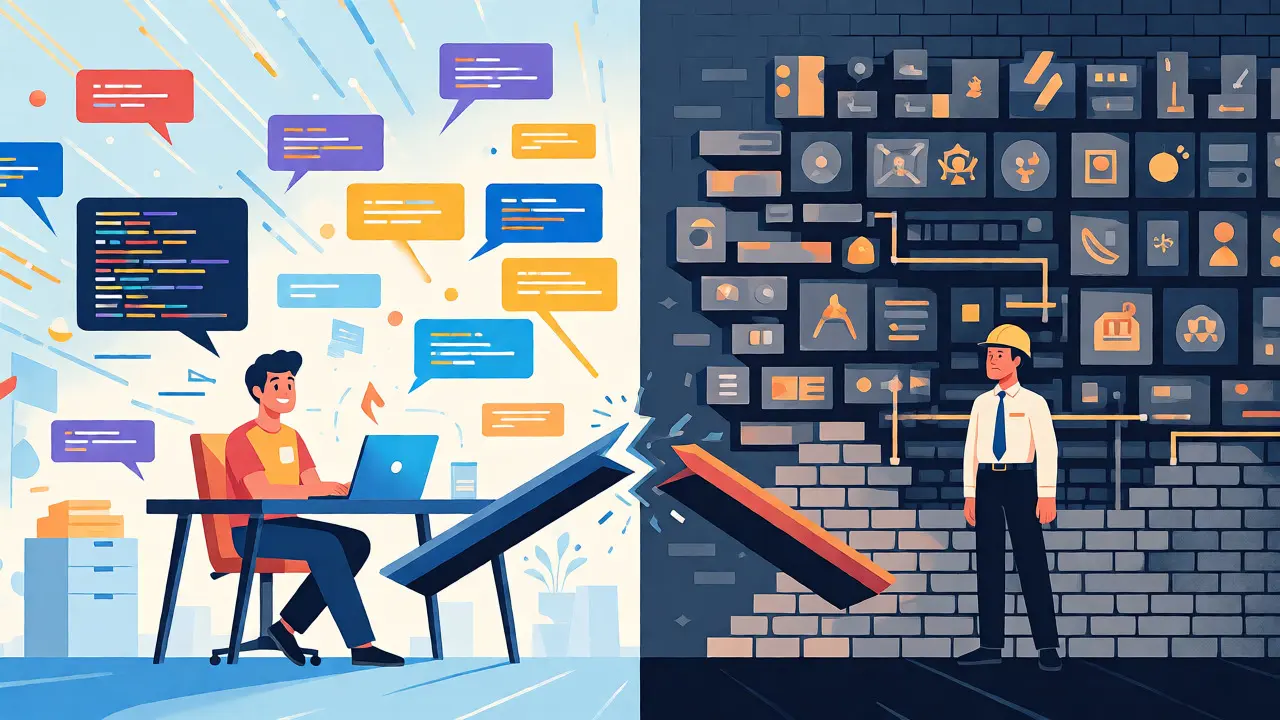
You just spent an afternoon prompting an AI. It spat out a beautiful React component in minutes. You demoed it, everyone loved it, and you’re ready to ship. But when you try to merge that vibe-coded scaffold into your main branch, the build fails, security scans flag missing headers, and your lead engineer asks where the error handling is.
This is the "prototype-to-production gap." It’s the messy middle ground where rapid AI ideation meets the rigid demands of enterprise reality. Vibe coding-using natural language prompts to generate code-is fantastic for speed. It accelerates initial development cycles by 30-50%. But as Canva CTO Brendan Humphreys famously noted, "you won't be vibe coding your way to production." If you care about safety, security, and maintainability, you need a bridge. This guide walks you through replacing those quick-and-dirty AI scaffolds with robust, production-ready components without losing the momentum you gained during prototyping.
Why Your AI Scaffolds Break in Production
Let’s be honest: AI models like GPT-4 or Claude 3 are trained on the average of public code, not your specific company’s architectural constraints. They prioritize syntactic correctness and logical flow over operational resilience. When you deploy raw vibe-coded output, you’re essentially deploying unverified assumptions.
Rocket New’s analysis of 127 enterprise implementations found that 78% of teams still require significant refactoring before deployment. Why? Because AI-generated code often lacks context. It doesn’t know your API rate limits, your specific authentication middleware, or your logging standards. It might use a library you deprecated two years ago or ignore strict TypeScript configurations. The result is technical debt that compounds quickly. One study showed that unconstrained AI code has an 82% failure rate in environments requiring 99.9% uptime SLAs. That’s not a bug; it’s a feature mismatch between generation speed and operational rigor.
The Four Phases of Structured Migration
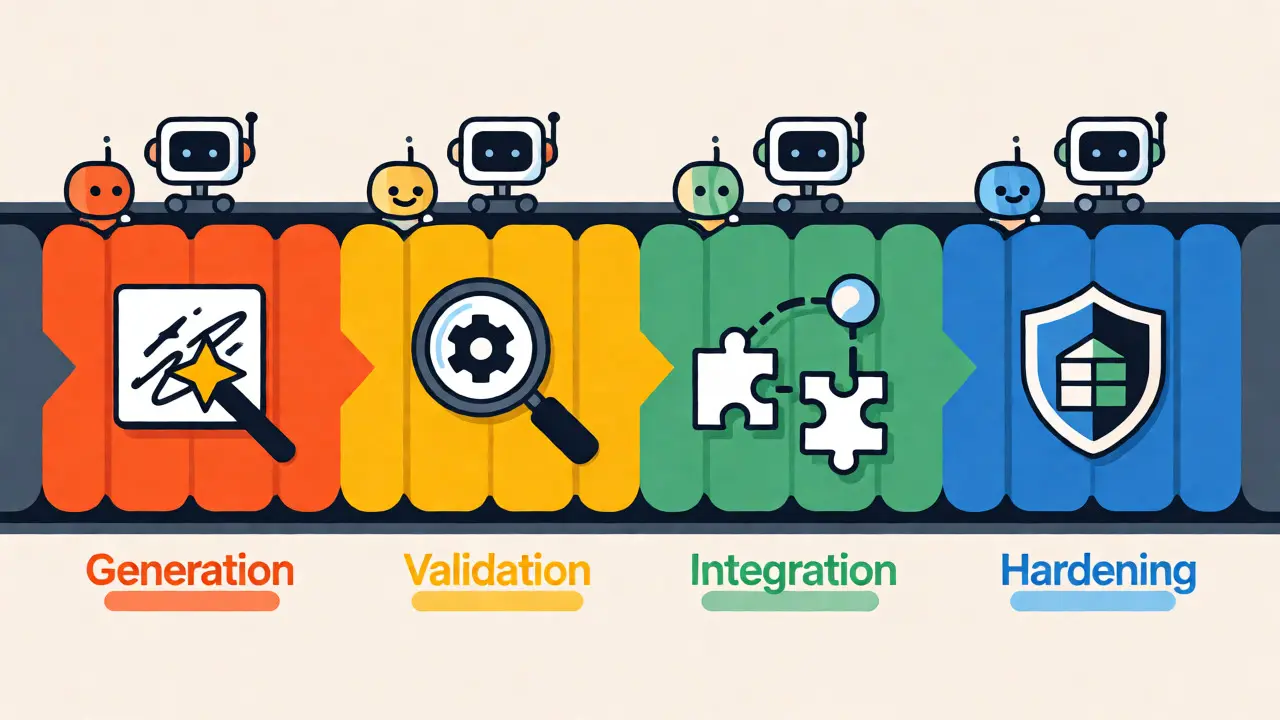
You can’t just copy-paste and pray. Successful teams treat migration as a distinct lifecycle phase, separate from ideation. Based on data from Metronome and SD Times, here is a proven four-step workflow to harden AI outputs.
- Initial Generation (The Vibe Phase): Use AI to get the skeleton right. Focus on UI layout and basic logic. Keep this phase short-aim for 10-15 minutes per component. Don’t worry about edge cases yet.
- Structural Validation: Now, enforce your rules. Run your linter and type checker immediately. If you use TypeScript, ensure strict mode is on. This step usually takes 20-30 minutes and catches the obvious hallucinations, like non-existent props or incorrect import paths.
- Integration Testing: Connect the component to your real APIs and state management. This is where the "happy path" breaks. Does the component handle network latency? What happens if the API returns a 500 error? Allocate 45-60 minutes here. Automated tests are critical; teams with 80%+ test coverage see far fewer surprises.
- Production Hardening: Add the boring but vital stuff: accessibility attributes, performance optimizations, and security headers. This final polish takes 60-90 minutes but ensures the component survives contact with users.
Skipping steps is tempting, but GitHub’s research shows that structured review workflows reduce production incidents by 63% compared to direct deployment. The time you save in step one is paid back tenfold if you skip step three.
Building Golden Paths for AI Consumption
If you want better AI output, give the AI better inputs. Alex MacCaw, founder of Tuple, argues that "a strong scaffold with good conventions and patterns is critical." Think of your repository not just as code storage, but as a training dataset for your AI assistant.
Implement "Golden Path" templates. These are pre-configured starter files that include everything a new component needs: routing setup, form validation schemas (like Zod), and hook patterns. When you prompt the AI, you can say, "Generate a user profile card using our UserProfileCard template pattern." The AI will mimic the structure because it sees it in the context window.
Infrastructure-as-Code (IaC) plays a huge role here too. By baking governance checks into Kubernetes manifests or Helm charts, you constrain the AI’s freedom. If the AI generates a Dockerfile that violates your base image policy, your CI/CD pipeline should reject it automatically. This feedback loop teaches both the developer and the AI what "production-ready" looks like in your specific environment.
Choosing Your Migration Destination
Not all vibe-coded prototypes should become custom code. Sometimes, the best migration path is moving to a managed service or a low-code platform. This decision depends on the complexity and longevity of the feature.
| Strategy | Speed to Production | Maintainability | Best For |
|---|---|---|---|
| Manual Rewrite | Slow (8.2 hrs/component) | High | Core business logic, high-compliance apps |
| Low-Code Platform | Fast (73% faster than manual) | Medium-High | Internal tools, CRUD interfaces |
| Direct Deployment | Instant | Low (High Debt) | Demos, throwaway proofs-of-concept |
| Agentic Refactor | Medium | High | Complex features needing AI-assisted cleanup |
Data from Memberstack suggests that 68% of enterprises now use hybrid approaches. They let vibe coding handle the creation phase but move the sustainment phase to low-code platforms or strictly governed custom codebases. If your prototype is an internal admin dashboard, don’t rewrite it in React. Port it to your existing low-code tool. You’ll save hours and reduce defect rates by 41%.

Security and Governance Guardrails
Security is the silent killer of vibe-coded deployments. A Stack Overflow survey found that 79% of developers encountered vulnerabilities in direct vibe-to-production attempts. AI models often default to permissive CORS settings or hardcode secrets because they see it done in tutorials.
To fix this, implement automated governance checks early. Use tools that scan for hardcoded keys, insecure dependencies, and missing input sanitization before the code even hits your staging environment. For financial services and healthcare, this is non-negotiable. Deloitte reports that compliance checks for AI-generated code have jumped from 29% to 73% in regulated industries since 2024.
Consider using an MCP (Model Context Protocol) Server to expose your internal documentation and style guides to the AI. This allows the model to "know" your security policies without you having to paste them into every prompt. Teams using MCP servers report 53% fewer deployment failures related to configuration drift.
Measuring Success Beyond "It Works"
How do you know your migration path is working? Stop looking at lines of code generated. Start tracking DORA metrics adapted for AI workflows: Lead Time for Changes, Change Failure Rate, and MTTR (Mean Time to Recovery).
SD Times notes that successful teams monitor these closely. If your change failure rate spikes after introducing AI assistants, your migration process is broken. You’re likely deploying too much unrefined code. Conversely, if your lead time drops but stability holds, you’ve struck gold. A fintech startup documented by SD Times reduced feature development from three weeks to five days while maintaining zero production incidents for nine months. Their secret? Strict adherence to golden-path templates and mandatory peer reviews for any AI-generated block larger than 50 lines.
Don’t let the hype blind you. Vibe coding is a tool, not a replacement for engineering discipline. By treating AI output as a draft rather than a deliverable, you keep the speed benefits while protecting your system’s integrity. Build the guardrails, define the golden paths, and migrate with intent.
Is vibe coding suitable for backend microservices?
Yes, but with caution. AI excels at generating boilerplate for REST endpoints and database queries. However, complex transactional logic and distributed system concerns (like idempotency and retry policies) often require human intervention. Always refactor AI-generated backend code to align with your specific infrastructure constraints and security protocols before deployment.
How much time does migrating a vibe-coded component take?
On average, expect 2-3 hours per component for a full migration cycle. This includes structural validation, integration testing, and production hardening. While this seems slow compared to the 10-15 minutes of generation, it prevents the 8.2-hour manual rewrites required later if you skip proper testing and refactoring stages.
What is the biggest risk of skipping the migration phase?
Hidden technical debt and security vulnerabilities. Unmigrated AI code often lacks proper error handling, uses outdated libraries, and ignores specific security headers. This leads to higher maintenance costs and potential breaches. Data shows that unconstrained AI code has an 82% failure rate in high-availability environments.
Do I need to stop using AI for coding if I have a strict migration process?
No. The goal isn't to stop using AI, but to integrate it properly. Use AI for rapid prototyping and boilerplate generation. Then, apply your structured migration process to refine it. This hybrid approach combines the speed of AI with the reliability of traditional engineering practices, leading to 30-50% faster overall development cycles.
What tools help automate the migration of AI-generated code?
Look for tools that support linting, static analysis, and automated testing within your CI/CD pipeline. Tools like ESLint with custom rules, TypeScript strict mode, and unit testing frameworks like Jest or Vitest are essential. Additionally, infrastructure-as-code validators and security scanners can automatically flag issues in AI-generated configurations.