Secure Prompting for Vibe Coding: How to Ask for Safer Implementations
 Sep, 8 2026
You’re moving fast. You’re using Vibe Coding to ship features at a pace that would have made developers ten years ago faint. But here’s the uncomfortable truth: speed without guardrails is just debt with a deadline. A 2024 study by Databricks found that 78% of code generated through typical vibe coding sessions contained at least one security vulnerability. That’s not a minor bug; that’s a potential breach waiting to happen.
If you’re relying on AI assistants like GitHub Copilot or Cursor IDE to write your backend logic, you can’t just ask for "code." You need to ask for secure code. This isn’t about slowing down; it’s about stopping the rework loop where you spend hours patching SQL injections or hardcoded API keys later. Secure prompting is the technique of crafting instructions that force Large Language Models (LLMs) to adhere to security best practices from the very first line of output. Let’s look at how to do this right.
The Hidden Cost of Fast Code Generation
We’ve all been there. You prompt an AI to create a user login endpoint. It spits out clean, readable JavaScript in seconds. You deploy it. Two weeks later, a security audit reveals the password hashing was weak, and the database connection string was hardcoded directly into the source file. Why did this happen? Because standard LLMs are trained on vast amounts of public code, much of which prioritizes brevity over security.
When you use generic prompts, the model defaults to the "average" solution. In the world of open-source repositories, the average solution often skips input validation or uses deprecated encryption libraries. The Vibe Coding Framework, launched in 2023, formalized this problem. They defined secure prompting as specialized instructions designed to guide AI systems in generating code that adheres to security best practices. Without these specific instructions, you are essentially gambling that the training data happened to include a secure example of the exact function you needed.
This isn't theoretical. Wiz’s June 2025 benchmarking study showed that structured secure prompting reduced vulnerability density by 28-43% across major language models. If you aren't doing this, you're accepting a higher baseline risk for every feature you ship.
Core Principles Every Secure Prompt Must Include
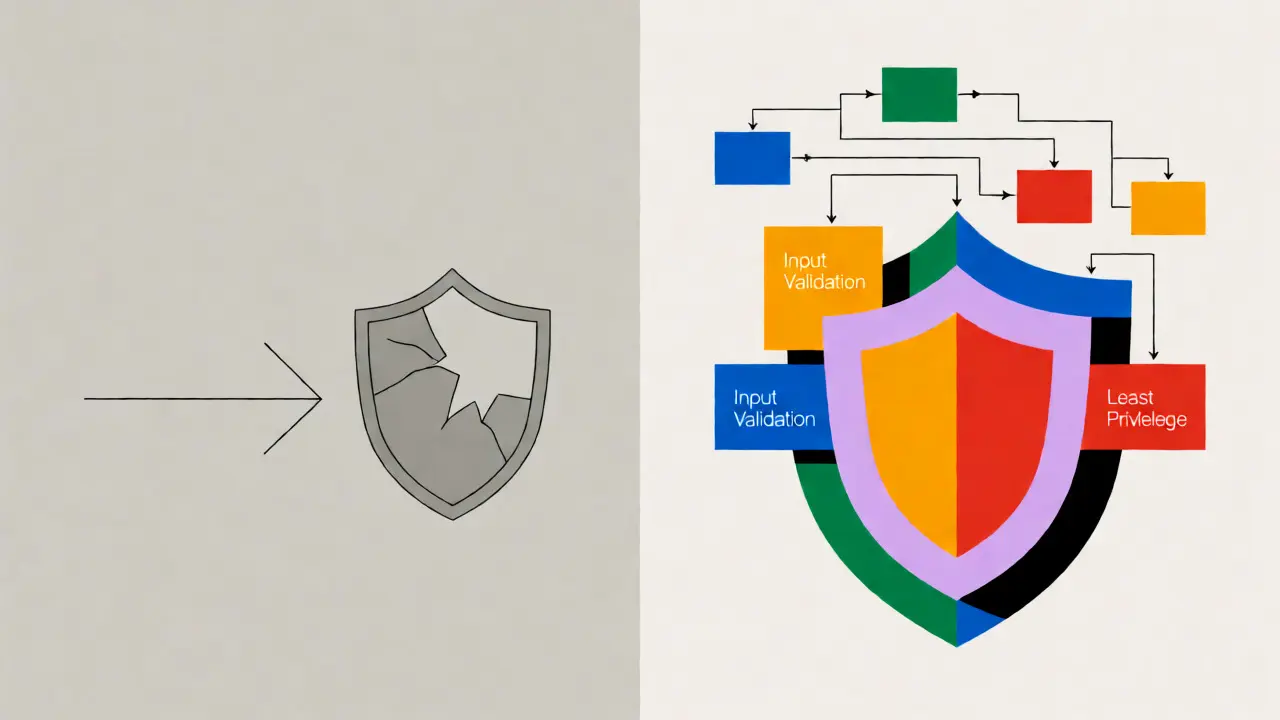
You don't need to rewrite your entire workflow overnight. Start by embedding six core security principles into your prompt templates. These concepts come from the Vibe Coding Framework and align with standard industry practices like OWASP.
- Defense in Depth: Don't rely on a single check. Ask the AI to implement multiple layers of protection. For example, validate input format and sanitize content before processing.
- Least Privilege: Explicitly tell the AI to grant only the necessary permissions. If a script only needs read access to a database, ensure the prompt specifies that no write permissions are requested.
- Input Validation: Mandate comprehensive checks for external inputs. Never assume the user sends what they claim to send.
- Secure Defaults: Require configurations that are secure out-of-the-box. Disable verbose error messages in production environments by default.
- Fail Securely: Ensure that if something breaks, it doesn't leak data. Error handling should catch exceptions without dumping stack traces to the client.
- Security by Design: Embed security logic into the architecture, not as an afterthought. Ask for helper functions that handle authentication centrally.
Here is a comparison of how adding these principles changes the output quality based on recent industry benchmarks:
| Prompting Strategy | Vulnerability Reduction | Best Use Case |
|---|---|---|
| Basic Keyword Augmentation (e.g., "add secure") | 28-42% | Quick scripts, prototypes |
| Component-Specific Templates | 24-29% | File uploads, payment gateways |
| Self-Reflective Review Steps | 31-37% | Complex business logic |
| Rules Files (Cursor IDE .mdc) | 44-51% | Enterprise-wide standardization |
Techniques That Actually Work
Not all secure prompting strategies are created equal. Some add too much friction; others don't move the needle enough. Here is what the data says works best in 2026.
1. The Two-Stage Prompting Method
This is arguably the most effective low-effort technique. Instead of asking for everything at once, you split the request. First, ask the AI to generate the functional code. Then, in a second prompt, ask it to review its own output specifically for security flaws.
Try this follow-up prompt: "Review the code above. Identify any potential SQL injection risks, missing input validations, or hardcoded secrets. Rewrite the code to fix these issues while maintaining functionality."
Apiiro’s May 2025 evaluation showed this method reduced vulnerabilities by 37.4%. It works because it forces the model to switch contexts from "creator" to "critic," which activates different patterns in its neural network.
2. Component-Specific Security Templates
Generic prompts fail when dealing with complex components like file uploads or payment processing. You need specific templates. For a file upload, don't just say "create an upload handler." Say:
"Create a file upload handler that validates MIME types against a whitelist, enforces a 5MB size limit, prevents path traversal attacks by sanitizing filenames, and stores files outside the web root."
Databricks’ research indicated that component-specific templates yielded a 24-29% reduction in vulnerabilities. While this requires upfront effort to build your library of templates, the payoff is consistent quality.
3. Using Rules Files (The Cursor IDE Approach)
If you use Cursor IDE, you can automate this via .mdc rules files. These files allow you to define centralized security rules that automatically apply to all generated code. For instance, you can specify that "all database queries must use parameterized statements" and "no secrets shall be hardcoded."
Wiz’s January 2025 analysis found that teams using rules files saw 51.3% fewer hardcoded secrets and 44.8% fewer XSS vulnerabilities compared to standard prompting. It removes the cognitive load of remembering to add security constraints to every single chat message.
Where Secure Prompting Fails
It’s important to manage expectations. Secure prompting is not a silver bullet. It excels at catching common, well-documented vulnerabilities like injection flaws (72.1% reduction) and broken authentication (68.4% reduction). However, it struggles with complex business logic errors.
Supabase’s June 2025 benchmark noted that for intricate business logic vulnerabilities-where the code runs correctly but violates a subtle business rule-secure prompting only reduced issues by 22.3%. Why? Because LLMs lack true contextual understanding of your specific company's unique compliance requirements or niche edge cases.
Furthermore, there is a cost. Security-focused prompts increase token usage by 18-22%, according to Databricks. This means slightly higher API costs and marginally slower generation times (about 2.3 seconds per request). But consider the trade-off: Apiiro found that this small delay saved an average of 14.7 minutes per feature in post-generation security reviews. You are spending pennies to save dollars.

Implementing a Secure Workflow
Ready to integrate this into your team? Don't try to boil the ocean. Follow the Cloud Security Alliance’s recommended three-phase onboarding process.
- Phase 1: Basic Patterns (Days 1-2): Start simple. Add the word "secure" to your requests and explicitly mention "input validation" and "error handling." Measure the immediate impact on your code quality.
- Phase 2: Component Templates (Days 3-5): Identify your top three most vulnerable components (e.g., Auth, DB Access, File Upload). Create reusable prompt snippets for each that include specific security constraints.
- Phase 3: Organization-Wide Rules (Weeks 2+): If you use tools like Cursor, implement global rules files. Establish a peer-review checklist that specifically looks for whether the AI followed the security prompts.
Replit’s December 2024 study showed that teams required about 11.3 hours of training to achieve 80% effectiveness. The biggest hurdle isn't technical; it's habit. Developers often abandon complex templates because they feel slow. To combat this, keep your initial templates short and expand them only when necessary.
The Future: Dynamic and Closed-Loop Systems
We are moving beyond static text prompts. Anthropic has announced dynamic prompt adaptation for Claude 4, expected in Q2 2026, which will adjust security instructions based on the specific code context. Imagine an AI that notices you are writing a Python script and automatically applies PEP-8 security guidelines without you asking.
Additionally, integration with Static Application Security Testing (SAST) tools is becoming standard. Apiiro’s 2026 roadmap includes closed-loop validation, where the AI generates code, a SAST tool scans it, and the AI automatically fixes the flagged issues before presenting the final result to you. This creates a self-healing development pipeline.
For now, however, the responsibility remains yours. As Dr. Elena Rodriguez from Databricks stated, "Prompting alone is not a complete security solution." It is a powerful first line of defense, but human oversight and automated testing remain essential. Use secure prompting to raise the floor, so your manual reviews can focus on the ceiling.
Does secure prompting significantly slow down development?
Initially, yes, due to the learning curve and longer prompts. However, Apiiro’s March 2025 benchmark showed that while generation time increased by ~2.3 seconds, it reduced post-generation security review time by 14.7 minutes per feature. Net velocity improves once the workflow is established.
Can I just add the word "secure" to my prompt?
It helps, but it's not enough for critical systems. Databricks' April 2024 study showed basic keyword augmentation reduced vulnerabilities by 28-42%, depending on the model. For high-risk components like payments or auth, specific templates detailing validation and encryption standards yield better results.
What is a rules file in the context of AI coding?
A rules file (like .mdc in Cursor IDE) is a configuration file containing predefined instructions that automatically apply to all AI interactions in a project. It ensures consistent enforcement of security policies, such as banning hardcoded secrets or requiring parameterized queries, without needing to repeat them in every prompt.
Do LLMs understand OWASP Top 10 vulnerabilities?
Yes, modern models like GPT-4o and Claude 3.7 Sonnet have strong knowledge of OWASP Top 10. Explicitly referencing specific CWEs (Common Weakness Enumerations) or OWASP categories in your prompt can further improve detection rates, especially for injection flaws and broken access control.
Is secure prompting a replacement for code review?
No. It reduces the volume of trivial security bugs but does not eliminate the need for human review. Complex business logic errors and architectural flaws still require expert inspection. Think of secure prompting as a filter that catches the obvious mistakes, allowing reviewers to focus on deeper issues.